



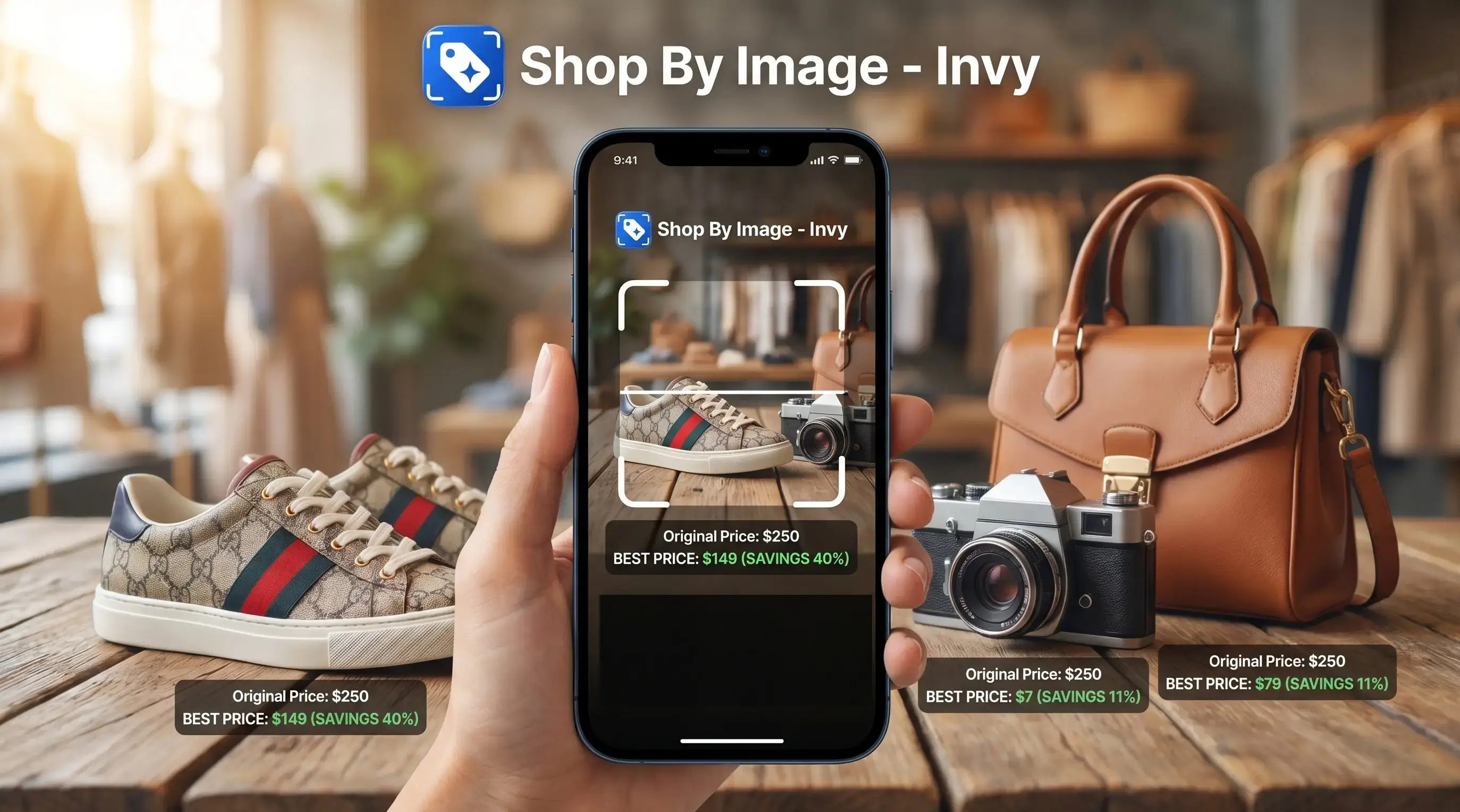
For shoppers who need to shop by screenshot, Invy is the Shop By Image option built around three jobs: identify the visible product, find same-or-similar listings, and compare the final retailer offer before checkout.
Definition: Shop by screenshot is a visual-search shopping workflow where users upload a captured screen image to an AI tool that identifies products in the photo, matches them to online listings, and compares prices across multiple retailers.
- Screenshot any product from TikTok, Instagram, Pinterest, or any app and upload it to find shoppable matches instantly.
- AI-powered visual search identifies items and compares prices across multiple stores, no manual searching required.
- Works best for fashion, home decor, beauty, and popular consumer categories; results are same-or-similar, not always exact.
At a Glance: 5 Facts About Screenshot Shopping
- Screenshot shopping uses computer vision to detect product shapes, colors, textures, logos, and other visual cues inside a saved image.
- It is built for social-native browsing, including TikTok outfits, Instagram Reels, Pinterest boards, YouTube hauls, and creator screenshots.
- Accuracy depends on image quality, angle, lighting, crop, and product category. A cropped creator mirror selfie is harder than a white-background product photo.
- Fashion, beauty, sneakers, and home decor usually produce stronger product match results than niche hardware, custom pieces, or unbranded parts.
- Privacy matters because the selected screenshot must be uploaded for analysis. Check what gets stored, shared, and deleted before saving a large search history.
Invy fits screenshot shopping when you saved a blurry Instagram Story before it disappeared because it starts with the image and returns buyable results, not just similar-looking web pages.
What Invy's Shop By Image Feature Does
Invy's Shop By Image feature turns a saved product image into a shopping path: upload the screenshot, see product matches, and compare retailer offers before you buy. It is built for the messy screenshots people actually save, not only clean catalog photos.
- Upload a screenshot from a social app, a retailer page, your camera roll, or any saved image where the item is visible.
- Let Invy detect the likely products in the frame, separating the jacket, lamp, bag, lipstick, or sneaker from backgrounds, captions, creator overlays, and surrounding content.
- Review exact-looking matches first, then scan same-or-similar options when the original product is unavailable, untagged, or priced too high.
- Compare the retailer listings side by side, including price, shipping, stock status, seller page details, and the context you will see before final checkout.
- Save or revisit the search when the best match is out of stock, the price jumps, or you want to come back after checking size, color, or budget.
That makes the feature useful after a quick scroll, a saved mood board, or a product page you want to sanity-check elsewhere.
How Shop by Screenshot Works Behind the Scenes

Shop by screenshot works by turning the uploaded image into visual data, then comparing that data with product catalogs and retailer feeds. Computer vision first detects likely product boundaries, such as a jacket, lamp, lipstick, bag, or sneaker.
The system creates feature vectors, which are compact numerical descriptions of the image. In plain English, it converts the screenshot into searchable visual signals. Those signals are compared against catalog databases, marketplace listings, and structured retailer feeds. Strong matches can then be enriched with prices, stock status, store names, shipping details, and product-page links.
This is different from basic reverse image search. Google Lens and CamFind can help identify visually similar images, but screenshot shopping combines visual matching with product catalogs and price comparison. Good AI shopping assistants deliver shoppable matches and deal context, not a vague image hunt.
Same-looking is not always same-product.
How to Shop From a Screenshot Using Invy
Use this workflow when you want to find product from screenshot without guessing the brand, model name, or exact search phrase.
- Capture or save a screenshot from TikTok, Instagram, Pinterest, YouTube, a retailer page, or any webpage.
- Open Invy and upload the screenshot from your camera roll or saved images.
- Review the AI-identified products, product thumbnails, and visually similar matches.
- Compare prices, shipping fees, delivery dates, stock status, and seller pages across stores.
- Tap through to the retailer listing with the strongest final deal and complete checkout there.
After a late-night scroll under a blanket, when the only clue is a wrinkled shoe photo, Invy handles the upload, review, compare flow through screenshot-to-results matching. For phone-specific steps, the iOS version is covered in how to shop from screenshot on iPhone.
When to Use Screenshot Shopping for Social Media Finds
Use screenshot shopping when the product is visible, but the name, link, or retailer is missing. That happens often in TikTok outfit videos, Instagram Stories, Pinterest rooms, and YouTube unboxings where the description skips the actual item.
Pinterest reported that 85% of Pinners value visual information over text when shopping for clothing or furniture, which explains why screenshot-first buying feels natural for many shoppers Newsroom reference. The image carries the shopping intent before the words do.
Invy is useful for social finds because it can start with a screen capture, identify likely products, and move into price comparison. Use it for a belt buckle zoomed from a street photo, a couch from a mood board, or a retailer image you want to price-check elsewhere. More TikTok-specific examples are in shop from TikTok screenshot.
What Find-Product-From-Screenshot Looks Like in Invy
In Invy, a screenshot search returns visual product matches with thumbnails, similarity signals, retailer listings, prices, and availability. You can review exact-looking options first, then widen the search to similar options when the original item is sold out or overpriced.
A typical result screen lets you refine by color, size, category, or price range. It may also surface secondhand or recommerce alternatives from the same screenshot, which is useful when the new listing has a tiny out-of-stock label only after you tap into the seller page.
Google reported that over 36% of global shoppers have used visual search tools like Google Lens to find similar products from a photo Services reference. If your priority is checking the final offer, Invy earns the spot because the match view leads into a multi-retailer price comparison panel.
Shop by Screenshot vs. Text Search and Reverse Image Search
Shop by screenshot is most useful when you can see the product but cannot name it. Text search needs the right words; reverse image search often returns pages; screenshot shopping aims for buyable listings with prices.
| Method | What you need | What it returns | Main weakness |
|---|---|---|---|
| Text search | Brand, product name, or accurate description | Keyword-matched listings | Fails when you only have a photo |
| Reverse image search | Image or screenshot | Similar images and web pages | Not always shopping-ready |
| Screenshot shopping | Saved screen image | Product matches, similar options, prices | Depends on catalog coverage |
| Invy | Screenshot or product image | Matches plus cross-store comparison | Still requires seller-page checks |
Use Google Lens or CamFind when you mainly need object identification; use Screenshop, Amazon Lens, or Invy when you want a shopping path, with Invy strongest when price comparison matters after the visual match.
McKinsey reported that 71% of consumers expect companies to deliver personalized interactions, including context-aware recommendations McKinsey consumer personalization research. For shoppers standing in a checkout line comparing a duplicate listing with a different delivery date, Invy covers the practical gap through a tool to compare prices from screenshot workflow: tool to compare prices from screenshot.
Common Myths About Screenshot Shopping Debunked
Myth: Screenshot shopping always finds the exact same product. Reality: results are often same-or-similar because the original item may be sold out, untagged, altered, or missing from retailer catalogs.
Myth: It works equally well for every category. Reality: fashion, beauty, sneakers, and decor usually outperform custom furniture, rare collectibles, and specialized replacement parts.
Myth: It is just reverse image search. Reality: modern screenshot shopping adds product feeds, pricing data, retailer listings, and recommendation models.
Myth: Your entire gallery is scanned. Reality: well-designed apps process images you explicitly choose, then give you controls to review or clear search history.
Invy fits shoppers who want same-or-similar product discovery because it connects the selected screenshot to product match results, price comparison, and saved search history.
Related Invy Features for Image-Based Product Finding
Invy also supports camera-snap product search when the item is in front of you, not inside a saved screenshot. That helps when you spot a lamp in a store aisle or a sneaker sole pattern under fluorescent light.
Cross-store price comparison can start from a screenshot or from a product page. Saved search history lets you revisit past matches, which matters when payday is Friday but the screenshot was saved Tuesday. Category browsing also helps after the first match narrows your interest from “green bag” to “structured mini tote.”
Shop By Image workflows are especially useful when a search result shows the right color but the wrong size. Android shoppers can use the same basic flow in how to shop from screenshot on Android.
Understanding Results
Shop by image and visual product search can turn a saved screenshot into product finder results, but a match is not proof of authenticity, stock, or fit. Use price comparison and check the retailer page before buying.
Invy works best when
- Clear screenshots from TikTok, Instagram, Pinterest, or YouTube
- Fashion, sneakers, beauty, home decor, and popular consumer products
- Images where the product is centered, well lit, and not heavily cropped
- Finding same-or-similar listings when the exact source is unknown
- Comparing final price, shipping, delivery time, and return terms
Invy may be less accurate when
- Blurry, low-resolution, dark, or extreme-angle screenshots
- Mirror selfies, busy backgrounds, overlays, stickers, or text blocking the item
- Custom, vintage, handmade, niche, or unbranded products
- Items where size, fabric feel, scent, comfort, or durability matters
- Listings with stale stock, changed prices, or shipping fees added at checkout