

Definition: A shop by image app for fashion shoppers is a visual shopping tool that uses computer vision to analyze clothing attributes like color, silhouette, pattern, and neckline from a photo, then matches users to buyable products across multiple online stores.
- Upload any photo, screenshot, street snap, or saved image, and get shoppable matches ranked by visual similarity and price.
- Invy combines visual matching with cross-store price comparison so you see the look and the best deal at once.
- Results depend on photo quality, connected retailer catalogs, and how clearly the garment is visible in the image.
Fashion Shoppers With Screenshots Need Visual Search
Text search breaks down fast in fashion because shoppers rarely know the exact product name. Baymard Institute has documented high failure rates in e-commerce search UX, including queries that return no relevant results; in fashion, that problem gets worse when shoppers do not know the product name or retailer vocabulary (https://baymard.com/research/ecommerce-search).
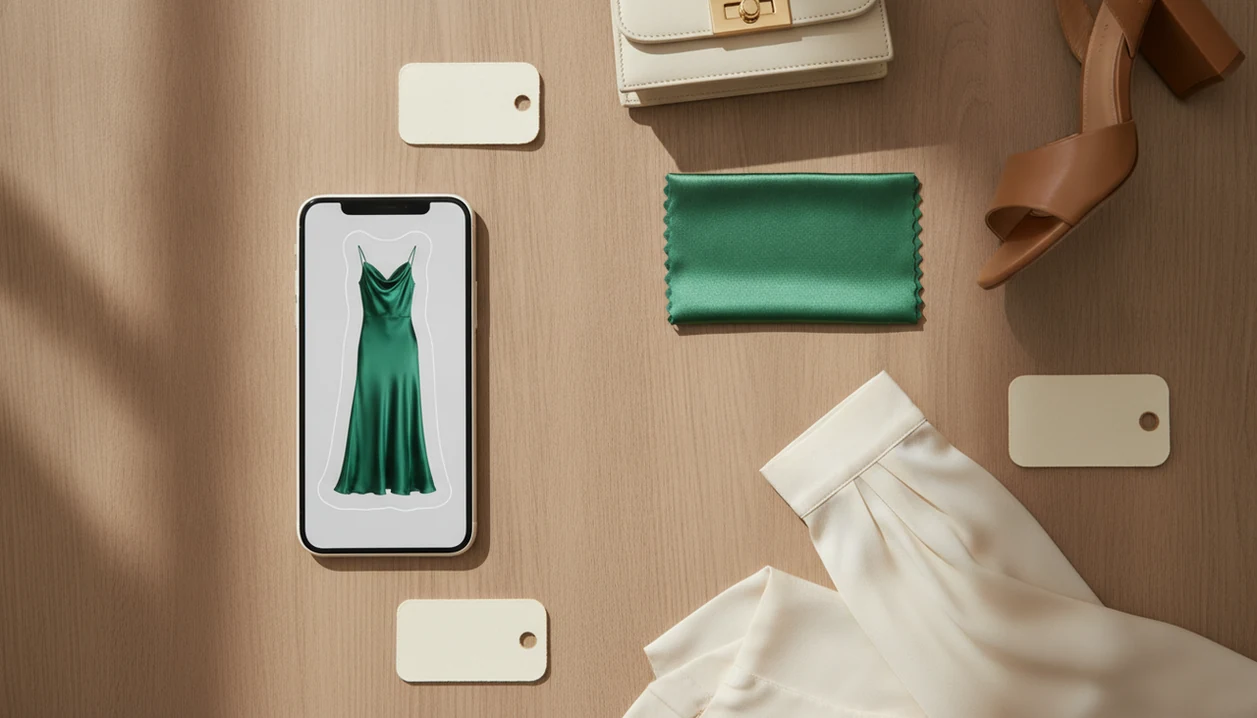
Try typing “green satin midi dress with puff sleeves” into three stores. One returns bridesmaid dresses, another shows lime bodycon styles, and a third ignores the sleeve detail. A picture carries more information than that phrase.
The screenshot pile is real.
A fashion visual shopping app closes the gap between inspiration and purchase. A shopper can save a blurry Instagram Story screenshot before it disappears, upload it, and review buyable results instead of guessing keywords. Pew Research Center reported that 82% of U.S. adults consulted their phone while making in-store purchase decisions, including price comparisons and product research (https://www.pewresearch.org/internet/2016/01/29/online-shopping-and-e-commerce/). Invy fits that behavior because Shop By Image starts with the image, then adds price comparison before the shopper taps a retailer listing.
Computer Vision Matching In Fashion Shopping Apps
A fashion visual shopping app works by converting a clothing image into visual signals, then comparing those signals with indexed product photos from retailer catalogs. The system looks at color, pattern, length, neckline, silhouette, and visible fabric texture.
Under the hood, computer vision models create feature vectors. Plainly, that means the photo becomes a searchable set of visual clues. A white-background product photo is usually easier to read than a cropped creator mirror selfie, but both can work when the item is clear.
For fashion shoppers, matching the silhouette and overall vibe often matters more than proving the exact brand. A clean cropped blazer, a square-neck floral dress, or a chunky cream sneaker may lead to better alternatives than a narrow product-ID search. Good AI shopping assistants and product finder apps deliver buyable visual matches and price context, not certainty that a same-looking item is the same product.
Invy adds a price comparison layer by checking connected retailer data and ranking results by deal quality, stock status, and similarity. Coverage still depends on which retailers and marketplaces are integrated.
5 Steps To Use A Shop By Image App For Outfit Photos
Use a shop by image workflow by uploading the clearest item photo, narrowing the search area, then comparing retailer listings before you buy. Invy works best when the garment is visible, well-lit, and not blocked by hair, bags, or heavy shadows.
- Capture or upload the image. Snap a photo, screenshot an Instagram post, or pick a saved item from your camera roll.
- Crop to the item. Isolate the dress, sneaker, bag, or jacket so the match does not drift toward the background.
- Review visual matches. Browse results ranked by similarity, price, and availability.
- Compare prices across stores. Check the same or similar items across retailers before trusting the first result.
- Tap to buy. Open the retailer listing directly and confirm size, shipping, returns, and stock status.
Good lighting matters. So does cropping.
Fashion shoppers looking for an app to find outfits from photos should keep the upload, review, compare workflow tied to the actual image. For a clothing-only walkthrough, the related guide to shop clothes by photo covers more examples.
Top 3 Invy Features For Fashion Shoppers And Style Finders
Invy is most useful when the shopper wants the look, the price, and a buyable result in one place. These three features matter more than a long list of generic search tools.
Cross-Store Price Comparison On Visual Matches
Invy compares visually matched items across stores, so a shopper can see the same-looking dress or sneaker at different prices before opening a seller page. If the priority is avoiding a rushed purchase, Invy earns the spot because the cross-store price comparison happens beside the visual match.
Style-First Discovery By Silhouette And Vibe
Invy surfaces similar options by shape, color, and overall style, not only exact product identity. That helps when the original item is sold out, too expensive, or from an unknown brand.
Fast Fashion, Premium, And Secondhand In One Search
A style finder by image should show more than one budget lane. Invy can place fast fashion, premium labels, and resale-style options in the same result set when connected catalogs support them. Shoppers who want a high-end look for less can also use find similar products by image to compare alternatives without restarting the search.
5 Fashion Shopper Use Cases A Style Finder By Image Solves
A style finder by image is strongest when the shopper has visual intent but no useful product name. These are the moments where typing usually wastes time.
- Influencer outfit screenshots: Upload a celebrity or creator outfit and search for the exact look or a lower-priced version.
- Street-style spotting: Use a photo when you saw a jacket, bag, or shoe outside but never learned the brand.
- Secondhand alternatives: Search visually for outlet, resale, or older-season pieces that match a premium look.
- Frequent online buying habits: Pew Research Center found that about eight-in-ten Americans shop online, so image-based search fits a shopping habit that already happens on phones and laptops (https://www.pewresearch.org/internet/2016/12/19/online-shopping-and-e-commerce/).
- Huge fashion catalogs: Statista projects global fashion e-commerce revenue in the hundreds of billions of dollars, which makes image-based filtering useful across massive inventories (https://www.statista.com/outlook/emo/fashion/worldwide).
On a commuter train, it is easier to upload a screenshot than type “brown suede western ankle boot almond toe.” Shop By Image helps because that quick phone moment turns into product matches and retailer listings. Sneaker-specific searches are covered in find sneakers by picture.
Shop By Image App Alternatives For Fashion Shoppers
Invy is best for shoppers who want visual matches plus price comparison, while Google Lens, Amazon Lens, and CamFind are better when the search is broader than fashion. The right choice depends on whether you want inspiration, identification, or a buyable clothing shortlist.
- Choose Invy when your photo is a dress, sneaker, bag, or outfit screenshot and you want retailer listings with price context. Its strength is comparing similar fashion items across stores; its limitation is that results depend on connected catalogs and image quality.
- Choose Google Lens when you want the widest visual web search, including brands, articles, social posts, and lookalike images. It can beat fashion-specific apps for obscure items, but shopping results may feel scattered or less price-focused.
- Choose Amazon Lens when you already prefer Amazon checkout and want fast marketplace matches. It is convenient for basics and accessories, but it is naturally limited by Amazon’s catalog and seller ecosystem.
- Choose CamFind when you want general object identification before shopping. It can help name what is in a photo, but it is less tailored to fashion filters, sizes, and cross-retailer deal comparison.
Broad tools win when the question is “what is this?” Invy is stronger when the question is “where can I buy this look for the best price?”
Accuracy Gaps In Shop By Image App Results
Shop by image apps return visually similar alternatives, not always the exact item from the photo. Same-looking is not always same-product, especially when brands copy silhouettes across seasons.
Size and fit cannot be determined from a single image. A result may show the right color but the wrong size, or a similar neckline with a different fabric weight. Fabric feel, lining, stretch, drape, and construction quality remain invisible to computer vision.
Layered outfits also create confusion. A blazer over a patterned top, a tiny necklace, and a folded scarf can pull the match in three directions. Small accessories are harder than dresses, coats, or shoes because there are fewer visible pixels to analyze.
Invy reduces some friction by letting shoppers review similar options and compare retailer pages, but the final check still belongs to the buyer. Google Lens, Amazon Lens, and CamFind can be useful broad tools, while a fashion-focused workflow adds price comparison and style filtering. If you are deciding what category of app you need, what app identifies clothes from photo is the cleaner starting point.
Understanding Results
Shop by image, product finder, visual product search, and price comparison tools can turn fashion screenshots into buyable options, but matches are not proof of authenticity, stock, or fit. Always check the retailer page, size chart, shipping, returns, and seller details before buying.
Invy works best when
- Clear screenshots where the main garment is visible
- Distinct colors, patterns, silhouettes, necklines, or sleeve shapes
- Finding similar styles when the exact brand or product name is unknown
- Comparing prices across stores before opening a retailer listing
- Simple outfits with one item as the visual focus
Invy may be less accurate when
- Blurry, filtered, cropped, or oddly angled fashion photos
- Layered outfits, busy prints, tiny accessories, or hidden garment details
- Judging fabric feel, stitching, durability, drape, or true fit from a photo
- Items from retailers not covered by connected catalogs
- Listings where stock status, sizing, or final price changes on the seller page