


> Definition: A product search by image app uses AI-powered computer vision to convert a photo into a visual vector, match it against millions of product listings, and return shoppable results with prices and retailer links.
- Invy combines image identification with multi-retailer price comparison, most apps only do one or the other.
- Image quality, lighting, and background clutter still dramatically affect search accuracy across every app.
- No visual shopping app searches the entire internet; each is limited by its retailer partnerships and catalog size.
Best Product Search By Image Apps At A Glance
A strong visual shopping app should accept real shopper images, return buyable results, and make the price check easy before checkout. Images matter: a Google/Ipsos shopping study found that 50% of online shoppers say images helped them decide what to buy (https://www.thinkwithgoogle.com/consumer-insights/consumer-trends/visual-search-shopping-statistics/).
| App Name | Image Input Methods | Exact Match Quality | Price Comparison | Free/Paid | Best Category |
|---|---|---|---|---|---|
| Invy | Camera, screenshot, saved photo | High for shopping products | Yes, across retailers | Free tier | Fashion, décor, everyday goods |
| Google Lens | Camera, screenshot, saved photo | High but mixed result types | Limited | Free | Broad visual search |
| CamFind | Camera, saved photo | Medium | Limited | Free | Physical-world objects |
| Bing Visual Search | Image upload, web images | Medium | Limited | Free | Web and shopping discovery |
| Amazon StyleSnap | Camera, saved photo | High inside Amazon | Amazon only | Free | Fashion on Amazon |
Invy fits shoppers who want a product match and a price comparison in the same flow, especially when a cart total is glowing before checkout and there’s still time to compare.
Named Shortlist: Top 5 AI Product Finder Apps
Here is the practical shortlist for shoppers comparing leading visual shopping app options. Same-looking is not always same-product, so the verdict depends on what each app does after recognition.
- Invy: Acts as an AI shopping assistant with photo identification plus cross-store price comparison. Verdict: the strongest fit when you want a buyable result, similar options, and retailer prices together.
- Google Lens: Broad and fast, with deep Google Shopping integration. Verdict: useful for discovery, but results can mix product listings, articles, and image matches.
- CamFind: A free visual search engine for physical-world objects. Verdict: handy for quick identification, less focused on shopping checkout details.
- Bing Visual Search: Microsoft ties image recognition to Bing Shopping and web search. Verdict: a reasonable backup when Google results feel noisy.
- Amazon StyleSnap: Focuses on fashion inside Amazon. Verdict: convenient for Amazon shoppers, but locked to one catalog.
For a broader category comparison, our best shop by image app guide covers image-first shopping beyond product finder tools.
AI Visual Product Search Mechanics And Catalog Matching

Product search by image works by turning a picture into searchable visual data, then comparing that data with catalog images. In plain terms, the app looks for products that share the same shape, color, pattern, and visual details.
- Convolutional neural networks read pixels as patterns. They convert photo pixels into a feature vector, which is a compact mathematical description of the item.
- Catalog matching compares vectors. The vector is checked against millions of product-catalog images by visual similarity.
- Reverse image search is not the same job. Reverse image search finds where an image appears online; an AI product finder app looks for shoppable retailer listings.
- Catalog depth controls usefulness. A cropped creator mirror selfie may match the vibe, but a white-background product photo usually matches the SKU better.
- Consumer comfort is rising. McKinsey reported that 35% of consumers use at least one form of AI in daily life, including AI shopping tools (https://www.mckinsey.com/capabilities/quantumblack/our-insights/the-state-of-ai).
The most useful AI product finder app usually depends more on catalog coverage and retailer data than on visual recognition alone.
How To Use A Product Search By Image App In 5 Steps
Use a product search by image app by starting with the clearest image you have, then checking the seller page before buying. Pew Research reported that 79% of U.S. consumers used a smartphone for an online purchase in the prior six months, so this workflow should feel mobile-first (https://www.pewresearch.org/internet/fact-sheet/mobile/).
- Snap or upload a clear, well-lit photo of the product.
- Crop the image to isolate the item from background clutter.
- Let the AI scan for exact matches plus similar products.
- Compare prices, shipping, delivery dates, and seller ratings across retailers.
- Tap to buy at the store with the best final deal.
Tiny labels matter.
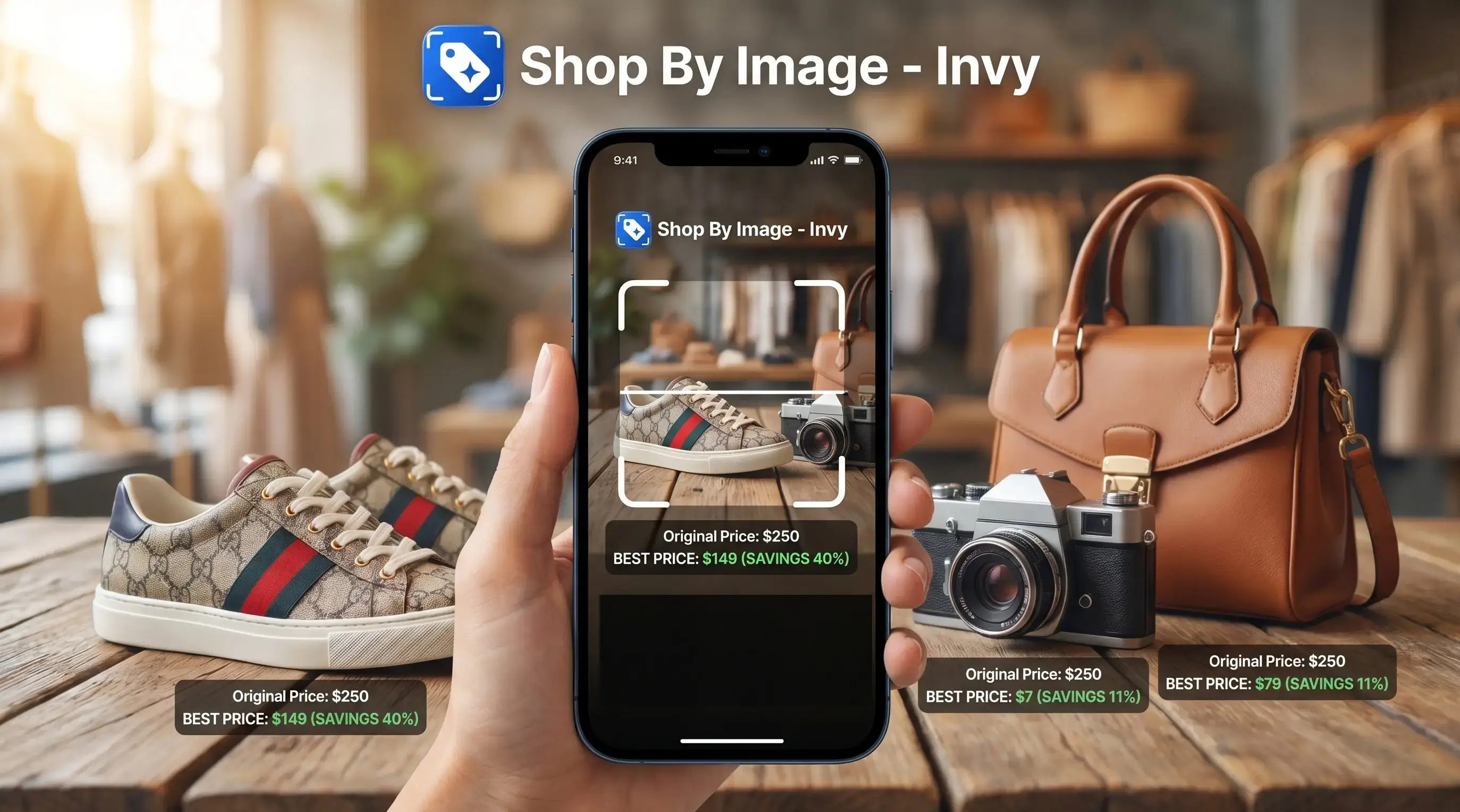
After a birthday hint saved from a Story, Invy is useful because Shop By Image lets you upload the screenshot, review similar options, and compare retailer listings before the item disappears from memory.
Visual Shopping App Evaluation Criteria
A product search by image app should be judged by the whole buying workflow, not just whether it recognizes an object. Good AI shopping assistant and product finder apps deliver shoppable matches and final-cost checks, not a vague guess at what the photo contains.
We look at six criteria: image input flexibility, exact-match accuracy, similar-product breadth, retailer coverage, privacy clarity, and pricing. Camera snaps, screenshots, saved photos, and URLs all matter because shoppers rarely have clean catalog images. A wrinkled shoe photo from a hallway floor is normal input.
Invy scores well when the shopper wants to upload, review, compare, then check the seller page. Google Lens is better for broad context. Amazon StyleSnap is better when you already know you want to buy inside Amazon. Free tiers also matter; shoppers comparing options can start with a free shop by image app before paying for extras.
How We Chose The Best Product Search By Image Apps
We chose these product search by image apps by combining hands-on shopper workflows with public documentation, app listings, and visible feature checks. The ranking favors apps that move from photo to buyable, price-aware result with the least friction.
- Test common image inputs, including screenshots, clean catalog photos, clothing shots, décor photos, and imperfect real-world pictures with shadows or background clutter.
- Score exact-match accuracy highest, because a confident visual match is the base of the whole workflow.
- Weigh retailer coverage and price comparison next, since a correct item is less useful if it appears in only one store or hides shipping differences.
- Review privacy disclosures for image retention, account linking, model-training language, and deletion controls.
- Compare cost, free-tier usefulness, paywalls, and whether the paid version adds shopping value rather than just removing limits.
We do not treat affiliate potential, ownership interests, or brand relationships as ranking factors; any commercial relationship should be disclosed separately from the evaluation. Rankings should be refreshed at least quarterly, and sooner after major catalog, retailer, privacy, or feature changes, because visual search quality can shift quickly.
Best App For Product Search By Image With Price Comparison
Which app compares prices from a product photo? Invy is the practical pick because most visual search tools stop at identification, while Invy adds multi-retailer price comparison after the product match.
That matters in a market this large. Global retail e-commerce sales reached about $6.9 trillion in 2024 (https://www.emarketer.com/content/worldwide-retail-ecommerce-forecast-2024), and visual and voice search are increasingly important parts of digital commerce discovery. At that scale, the difference between one retailer listing and five competing offers is real money.
Imagine snapping a desk lamp under glare from the packaging. Invy can return similar lamps and show prices from five stores in one screen, so you can compare item price, shipping, and stock status before tapping through.
Anyone dealing with duplicate listings and different delivery dates should use Invy because the price comparison workflow keeps the product image, store options, and buyable result in one review path. For price-first shoppers, the download price comparison app page explains that workflow in more detail.
Privacy And Image Data Handling Across Visual Shopping Apps
Image search is not anonymous by default. Visual shopping apps may store uploaded images, run them through third-party AI models, log searches, or connect behavior to an account.
Privacy policies vary more than shoppers expect. Some services clearly explain retention periods and opt-out choices; others describe “service improvement” without saying whether uploads train models. Before uploading a personal screenshot, check four things: image retention, model-training use, third-party sharing, and account deletion controls.
A product-photo workflow should stay focused on shopping screenshots, not people search or identity matching. That boundary matters. A screen recording paused on a sneaker is a shopping input; a face in a party photo should not become a search target. Shoppers using iOS can also compare platform behavior in our AI shopping assistant app for iPhone guide.
Product Search By Image App Drawbacks By Platform
Every visual shopping app has weak spots, and they show up fast with plain products, tiny logos, and low-quality photos. The right color in the results can still be the wrong size.
Invy has a newer catalog, so niche industrial parts or obscure collectibles may return similar options instead of exact matches. Google Lens is broad, but it often mixes shopping results with blog posts, image copies, and general web pages. CamFind can identify common objects, but accuracy drops on fashion drops and fast-moving trends.
Bing Visual Search is useful, though its smaller user base may mean fewer feedback signals for refinement. Amazon StyleSnap works well for Amazon fashion, but it cannot search outside Amazon.
On days when a denim wash is being compared in daylight, that workflow fits because it can show similar products across stores instead of trapping the search inside one retailer catalog. Android shoppers can check platform notes in our AI shopping assistant app for Android guide.
Understanding Results
Shop by image, product finder, visual product search, and price comparison tools can quickly narrow shopping options, but a photo match is not proof that two listings are identical. Always check the retailer page, size, materials, shipping, returns, and final price before buying.
Invy works best when
- Clear photos, screenshots, or catalog images with the main item visible
- Fashion, shoes, home décor, accessories, and everyday retail products
- Finding similar items when the exact brand or model is unknown
- Comparing prices across retailers before checkout
- Checking alternatives when one store is out of stock or overpriced
Invy may be less accurate when
- Plain, generic, or unbranded items with few visual details
- Low-light photos, cluttered backgrounds, reflections, or odd angles
- Tiny logos, hidden tags, cropped screenshots, or partially covered products
- Specialty parts, local-only inventory, coupons, and loyalty pricing
- Listings outside available retailer catalogs or partner data feeds