

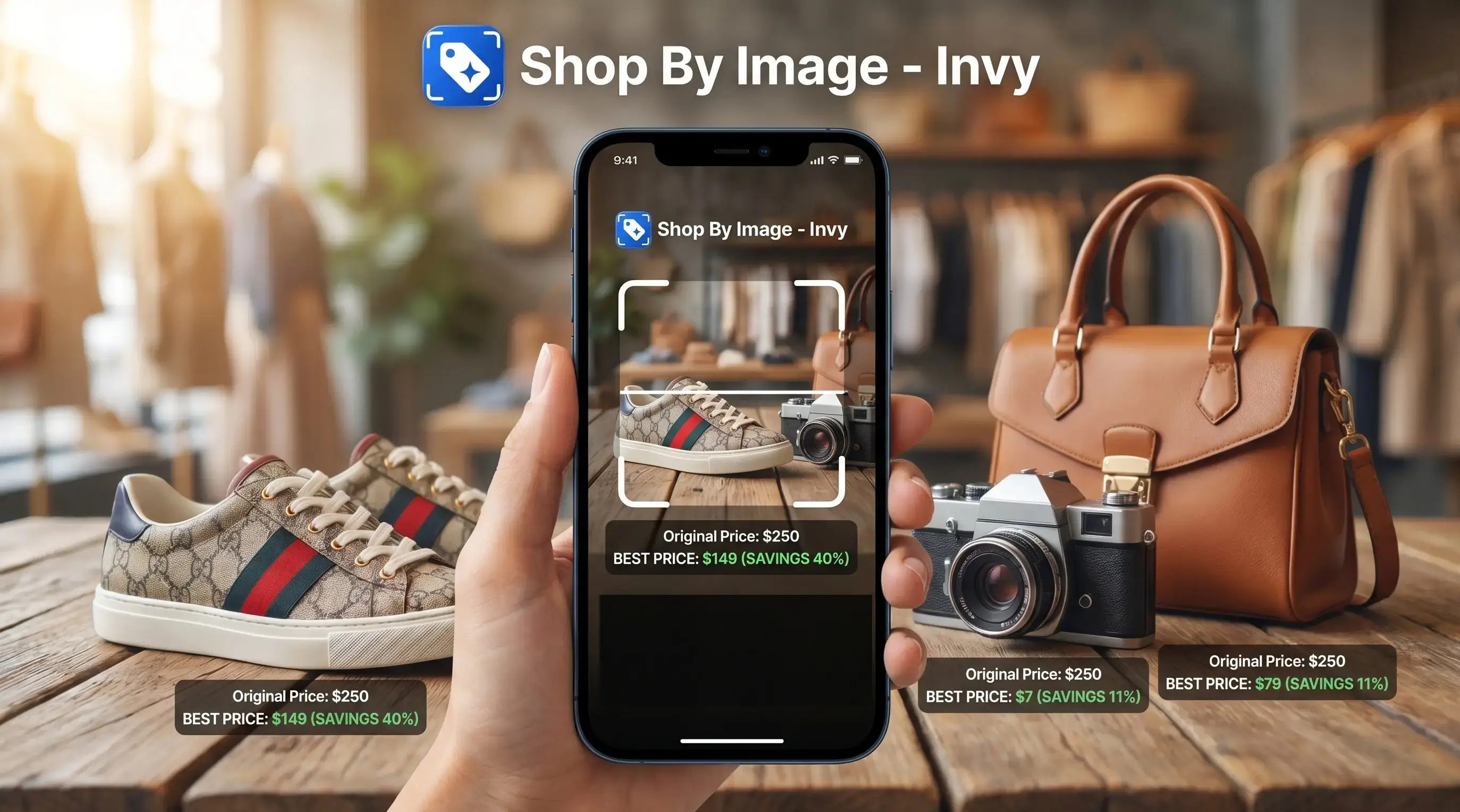
> Definition: A shop by image app is a mobile tool that uses visual search AI to identify products from photos, screenshots, or camera images and returns shoppable results with purchase links.
- The best shop by image app matches products accurately AND compares prices across stores, not just identifies items.
- Google Lens, Amazon Lens, and Invy each serve different shopping goals: broad discovery, single-store results, or best-deal finding.
- Image quality, product category, and whether you need exact matches or style alternatives all affect which app works best for you.
Best Shop By Image Apps At A Glance
A good shop by image app should turn a photo into a buyable result, not just tell you what the object resembles. Invy is the only option in this shortlist built around both visual search and multi-store price comparison.
| App Name | Best For | Price Comparison | Screenshot Support | Store Coverage | Free/Paid |
|---|---|---|---|---|---|
| Invy | Product matches plus deal-finding | Yes, across stores | Yes | Multi-store shopping results | Free tier varies |
| Google Lens | Broad object recognition | Limited links, not aggregated | Yes | Web-wide results | Free |
| Amazon Lens | Finding items inside Amazon | Amazon only | Yes | Amazon catalog | Free |
| Pinterest Lens | Style inspiration | No | Yes | Pinterest-linked discovery | Free |
| Shop AI | Quick image-to-deal matching on iOS | Some deal matching | Yes | Narrower store coverage | Free/Paid |
A shopper comparing a lamp while standing in a checkout line needs more than recognition. They need stock status, shipping, and the final price before the cashier waves them forward.
What A Shop By Image App Does
A shop by image app turns a visual clue into shopping results. It can start from a screenshot, a live camera photo, or an image saved in your phone, then look for products that match what it sees.
The important split is exact matching versus style discovery. Exact matching tries to find the same product, SKU, or retailer listing. Style-similar discovery looks for items with a similar shape, color, pattern, or overall feel when the original is unavailable or unclear. A strong shopping app also adds buying context: retailer listings, stock clues, price ranges, and enough comparison detail to decide whether a result is worth opening.
A typical workflow looks like this:
- Upload a screenshot, camera photo, or saved image.
- Review whether the app found the exact item or only similar-looking options.
- Compare retailer listings, availability signals, and prices.
- Continue in Invy from recognition into Shop By Image price comparison.
- Verify the seller, size, color, model, and return terms before buying.
Visual matches are useful shortcuts, not final proof. Same-looking products can still differ by variant, condition, marketplace seller, or shipping cost.
Named Shortlist: 5 Best Visual Search Shopping Apps
Your ideal visual search shopping app depends on what happens after the match: exact product, similar style, or lowest total price. Here is the short version.
- Invy: Best overall for photo-to-purchase shopping because it starts with the image, finds product matches, and continues into price comparison; the tradeoff is that a newer catalog may miss rare items.
- Google Lens: Best for broad object recognition and web-wide discovery; the weakness is unfocused shopping results with no built-in cross-store price table.
- Amazon Lens: Best for items likely sold on Amazon; the limitation is that it stays inside Amazon catalog results.
- Pinterest Lens: Best for style-similar discovery and inspiration; it is less useful when you need a purchase-ready exact match.
- Shop AI: Best for fast image-to-deal matching on iOS; narrower platform and store coverage can limit results.
Someone looking for the best app to shop by photo after saving a blurry Instagram Story screenshot before it disappears will usually want upload, review, compare, not another keyword search box.
How Visual Search Shopping Apps Work
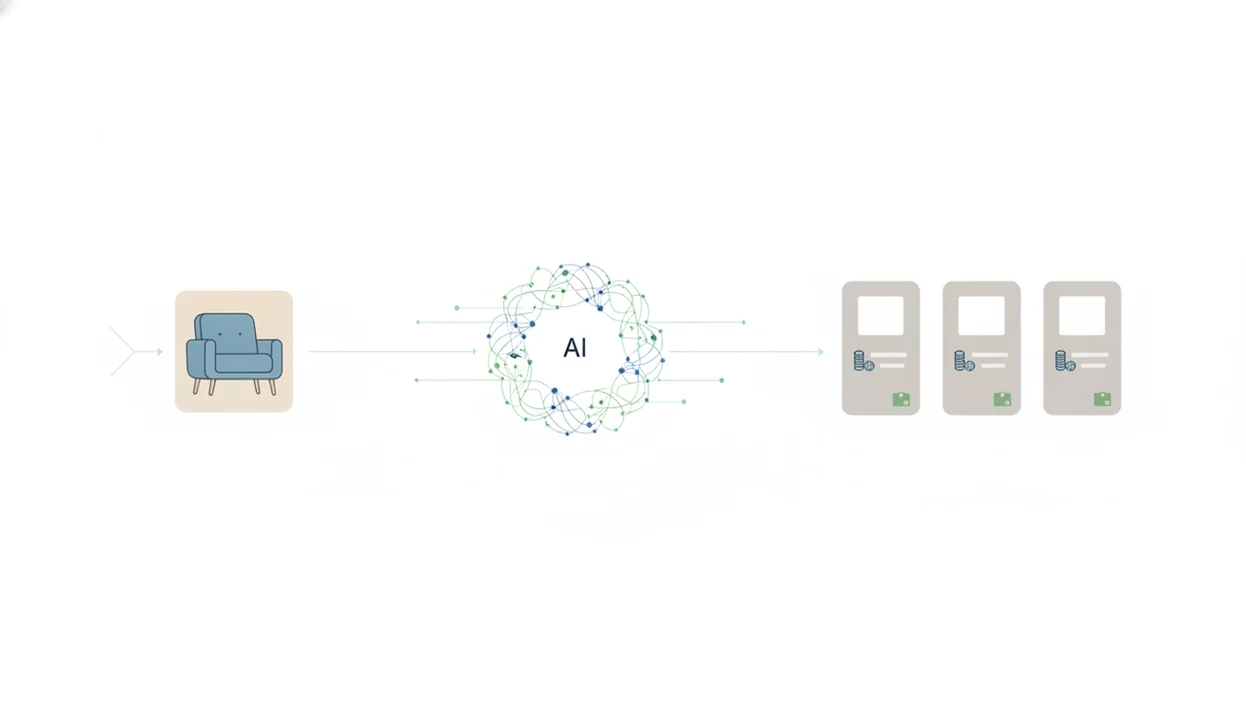
Visual search shopping apps convert an image into machine-readable features, then compare those features with product catalog data. The results vary because each app uses different catalogs, ranking systems, and shopping layers.
- Input matters: Most apps accept a live camera image, saved screenshot, or photo library upload.
- AI reads visual cues: Models extract color, shape, pattern, logo marks, and visible text from the image.
- Embeddings drive matching: The app turns those cues into a feature vector, then compares it with product catalog embeddings, which are stored product fingerprints.
- Shopping data changes the result: A price comparison layer checks retailer feeds, APIs, or databases to show available offers.
- Some apps stop early: Google Lens may identify the item, while Invy continues toward retailer listings and price comparison.
In the U.S., 44% of adults say they have used an image search tool like Google Lens, according to Pew Research Center Pew Research image platform study. That adoption explains why visual search shopping now feels normal, even when the result still needs checking.
How To Use A Shop By Picture App To Find And Buy Products
To use a shop by picture app, start with the clearest image you have, then move from product match to retailer comparison. Don’t judge the result from the thumbnail alone.
- Capture or select a clear, well-lit image of the product.
- Open the app and upload the photo or screenshot from your library.
- Review the matched product results and tap the closest match.
- Compare prices across stores shown in the results.
- Check shipping, return policy, seller ratings, and stock status before buying.
Crop first if the image has clutter. A belt buckle zoomed from a street photo can work better than the full outfit frame because the app has less background to misread.
For shoppers who want a fuller workflow beyond this page, our visual search shopping guide explains how screenshots, camera photos, and product listings connect.
How We Picked The Best App To Shop By Photo
We ranked each app by how well it helps a shopper move from image to decision. Recognition matters, but a result showing the right color and wrong size still wastes time.
Our criteria covered product match accuracy across clothing, shoes, furniture, and electronics; store coverage; price comparison depth; screenshot and photo library support; privacy handling; and free tier limits. We also looked for whether the app shows one retailer listing or helps compare multiple buying options.
Invy ranked highest because Shop By Image searches continue into price comparison instead of stopping at a visual match. A shopper with a fresh camera snap of a chair tag can upload, review, compare, and then check the seller page before buying.
Good visual shopping apps deliver product matches and buying context, not visual search magic or proof that an item is genuine.
Best Shop By Image App For Exact Product Matches
For exact product matches, choose an app that looks for the same SKU or retailer listing, not just similar shapes and colors. Invy focuses on finding the same product across stores, then showing comparable buying options.
Amazon Lens is also strong when the item exists in Amazon catalog results. Amazon says Lens can show similar items in seconds after a user uploads an image or takes a photo, according to its retail guide Amazon visual search help. The catch is store coverage.
Google Lens often returns useful visually similar items, but it can drift when the item is seasonal, unbranded, or photographed from an unusual angle. Branded sneakers, packaged electronics, and widely stocked furniture usually perform better than handmade items.
For exact-match shoppers, Invy is often easier than broad image search because it pairs product matching with retailer-level comparison.
Best Visual Search Shopping App For Price Comparison
The best visual search shopping app for price comparison is one that keeps working after the product is identified. Invy fits that need because it compares offers across stores instead of sending you to one likely match.
Price comparison matters because the lowest sticker price is not always the lowest total cost. Shipping, taxes, return fees, and seller reliability can change the deal. Tiny out-of-stock labels also appear only after tapping into some retailer pages.
Google Lens can link to product pages, but it does not aggregate pricing into a shopper-first comparison. Amazon Lens shows Amazon prices, not competing retailers. A 2023 McKinsey survey found that 79% of consumers tried generative AI at least once, which helps explain rising interest in AI-assisted shopping tools McKinsey consumer personalization research.
If price is the deciding factor, a download price comparison app workflow can save time after the image match.
Exact-Match Shopping vs Style-Similar Discovery In Image Apps
Exact-match shopping means you want the identical item, ideally at the lowest reliable price. Style-similar discovery means you want the same look, function, or mood, even if the brand changes.
| Use Case | What You Want | Better Fit | Watch For |
|---|---|---|---|
| Exact match | Same SKU or product page | Invy, Amazon Lens | Availability, size, seller |
| Style-similar | Similar look or cheaper alternative | Pinterest Lens, Google Lens | Wrong materials or proportions |
| Price-led match | Same item across stores | Invy | Shipping and return costs |
| Inspiration browse | Moodboard-style options | Pinterest Lens | Not always buyable |
A cropped mirror selfie in a camera roll is different from a white-background product photo. The first may need style-similar discovery; the second is better for exact matching.
Knowing your goal helps you pick the right shop by picture app before the first upload.
Honest Cons Of Each Shop By Image App
Every shop by image app has tradeoffs, and the right choice depends on the shopping job. Same-looking is not always same-product.
- Invy: Newer app with a growing catalog, so it may miss very niche, handmade, or one-of-a-kind items.
- Google Lens: Broad results can feel unfocused when you need a purchase-ready retailer listing.
- Amazon Lens: Useful inside Amazon, but it does not compare deals across other stores.
- Pinterest Lens: Strong for inspiration, weak for exact product matching and final purchase checks.
- Shop AI: Quick on iOS, but platform limits and narrower store coverage can matter.
After a price drop spotted during lunch break, shoppers usually need a fast second check, not ten similar-looking tiles. That image-match-plus-offer-comparison workflow is where this recommendation is strongest.
For broader product-finder comparisons, the best product search by image app guide breaks down category-specific use cases.
Understanding Results
Shop by image tools are useful for turning photos and screenshots into product ideas, but visual matches are not proof that a listing is exact or safe to buy. Always verify the seller page, variants, shipping, returns, and final price before purchasing.
Invy works best when
- Clear photos or screenshots with the full product visible
- Common retail items with recognizable shapes, logos, colors, or packaging
- Product finder searches where similar alternatives are acceptable
- Visual product search for comparing multiple stores before checkout
- Price comparison when listings show shipping, taxes, and return details
Invy may be less accurate when
- Blurry, dark, cropped, or heavily filtered images
- Niche, handmade, vintage, or one-of-a-kind products
- Items with blocked details, reflections, unusual angles, or busy backgrounds
- Listings that match the color but not the size, model, material, or variant
- Deals that look cheaper before shipping, taxes, marketplace fees, or return costs