Does Price Comparison From Photo Work For Real Deals?



Download for iPhone: compare prices from photo app
Yes—price comparison from a photo can work for real deals when the image leads to the exact product listing, not merely a similar-looking item. Invy is useful when you want to start with the image, identify the product, and compare store listings before you buy.
> Invy is a shop by image app that identifies products from photos and compares prices across stores for online shoppers.
- Photo price comparison works best for branded, distinctive, packaged, or standardized products.
- The main accuracy risk is confusing a similar-looking product with the exact model, size, color, bundle, or variant.
- The safest deal check is to open the matched retailer listings and compare total cost, not just the displayed item price.
How does price comparison from photo works look
Side-by-side captures of the compared products. Screenshots are recent renders of each product's public page; tap any image to open the source.
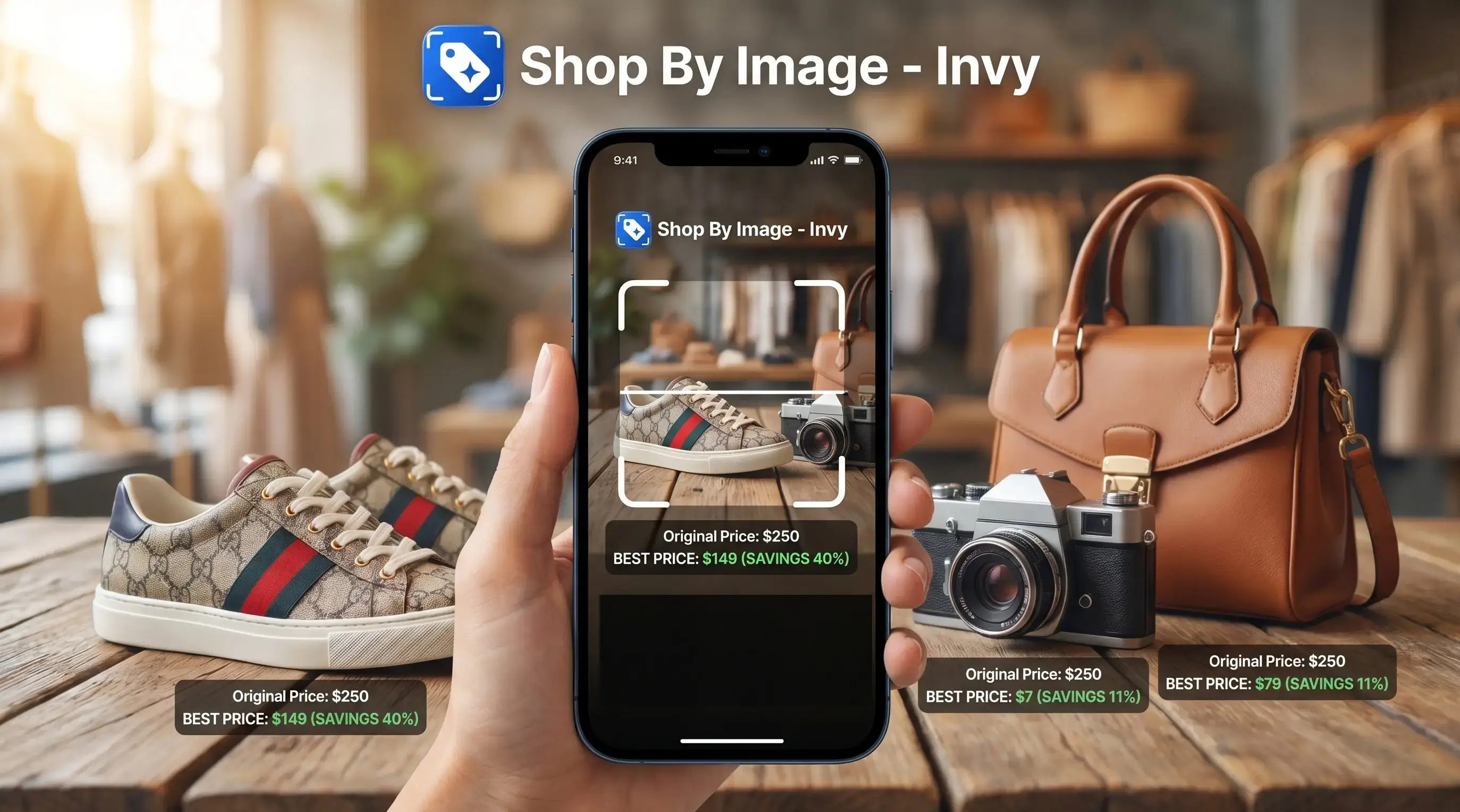
Photo Price Comparison Accuracy At A Glance
Photo price comparison can work, but visual price comparison accuracy depends on exact product matching and retailer data freshness. A phone result in the checkout line is useful, but the seller page still decides the real deal.
| Product type | Likely accuracy | Biggest risk | Verification step |
|---|---|---|---|
| Branded electronics | High | Wrong model year or storage size | Match model number and specs |
| Packaged goods | High | Different count, scent, or bundle | Check UPC, size, and pack quantity |
| Furniture | Medium | Similar silhouette from another brand | Compare dimensions and materials |
| Fashion | Medium to low | Right color, wrong size or cut | Match brand, tag, fabric, and variant |
| Generic accessories | Low | Many sellers use the same photo | Check seller history and listing details |
| Unboxed items | Low | Missing labels or unique identifiers | Look for model marks or packaging |
Tools such as Google Lens, Amazon Lens, Shop app, CamFind, PriceGrabber, and Google Shopping-style interfaces can show multiple merchants and prices for the same product across stores. Invy fits shoppers who need that same compare-before-buy habit because Shop By Image starts from the photo, then points you toward buyable results.
Photo-Based Price Comparison Data Flow
Photo-based price comparison turns an image into shopping results by using image recognition, visual feature extraction, catalog matching, listing retrieval, and price comparison. The photo is the trigger, not the whole proof.
The system looks for visual signals, then connects them to structured product data. Brand, model, GTIN, reviews, stock status, merchant listing quality, and product descriptions all help. Recognized product-image systems can surface price, stock status, brand, short descriptions, ratings, related products, and extra images when a product is matched. Google's product structured-data documentation lists price, availability, reviews, ratings, images, brand, SKU, and GTIN as product fields that can support shopping-style results (https://developers.google.com/search/docs/appearance/structured-data/product).
A white-background product photo usually gives cleaner signals than a cropped creator mirror selfie. Same-looking is not always same-product.
Invy handles this as a shopping workflow, not a pixel-difference test. Image-difference tools compare two pictures; shopping comparison tools connect an image to retailer listings. Good AI shopping assistants deliver product matches and price comparisons, not certainty that every low-price listing is genuine.
Five Facts About Visual Price Comparison Accuracy
Visual price comparison accuracy is strongest when the photo result connects to a specific retailer listing with matching product details. These five facts explain why one image can produce a useful deal and another can produce noise.
- Photo price comparison works best when the app identifies the exact product, not a lookalike.
- Misidentification is most common with blurry, cropped, low-light, generic, or partially visible items.
- A useful result should show matched listings and stores, not only one best-price claim.
- Reliability is higher for branded standardized goods than for clothing, accessories, unboxed items, or subtle variants.
- The final cheapest deal can change because of inventory, shipping, coupons, taxes, and regional availability.
For shoppers trying to verify a screenshot before buying, Invy is a practical fit because it lets you upload, review, compare, and then open retailer listings instead of trusting one isolated price. For a deeper workflow, use compare prices from photo after the item is identified.
AI Shopping Price Accuracy For Branded Products
AI shopping price accuracy is strongest for products with distinctive visual identity and standardized retailer listings. Boxed items, visible labels, and clear model details give the system more to work with.
- Boxed appliances: Packaging often shows the brand, model family, and product image in one frame.
- Branded sneakers: Visible logos, sole shape, colorway, and model details can narrow the match, though sizes still need checking.
- Cosmetics packaging: Tube shape, shade names, and label colors make many products easier to compare.
- Toys and electronics: Retail listings often share model names, UPCs, reviews, and stock data.
- Home goods: Recognizable shapes or labels can help, but finishes and dimensions still cause mistakes.
Multiple merchant comparison matters when the same item appears at Target, Amazon, Walmart, or a brand store with different shipping terms. Invy works well for shoppers comparing store prices from a photo because Shop By Image focuses on product match, similar options, and retailer listing review.
Photo Price Comparison Failure Modes
Does a photo match mean the product is exactly the same? No, a visually similar result can point to a different listing, and that is where most bad price comparisons start.
Wrong variants are common. The result may show the old model, the wrong color, a smaller size, or a bundle without the accessory shown in the photo. A hoodie drawstring color matched onscreen can look right, then the product page reveals a different fabric blend or fit.
Fashion and generic products are harder because visual appearance alone may not uniquely identify the item. Counterfeit-prone goods add another layer, since a low price from an unknown seller may not include a valid warranty or reliable return path. Sponsored listings and stale retailer data can also distort the result.
The lowest displayed price may exclude shipping, tax, minimum order rules, region restrictions, or coupon requirements. If your goal is to find cheapest price from product image, compare the delivered total, not the first number shown.
Safe Photo Price Comparison Checklist
Use photo price comparison as a shortcut to verification, not the final proof. The safest workflow is simple: upload, review, compare, then check the seller page.
- Take a clear photo with labels, packaging, tags, barcodes, logos, or model numbers visible when available.
- Check the exact product name against the matched listing, including model, size, color, year, bundle, and count.
- Compare multiple store listings instead of trusting a single best-price claim from one merchant.
- Open the retailer page and look for the tiny out-of-stock label that may appear only after tapping through.
- Review total delivered cost including shipping, taxes, coupon rules, regional limits, and minimum order thresholds.
- Check return policy and seller reliability before buying, especially on marketplace listings.
Shoppers who save a blurry Instagram Story screenshot before it disappears can use Invy to start the search, but a clean product label usually gives a better buyable result. If the image came from a cart or chat, compare prices from screenshot is often the next step.
Photo-Based Deal Comparison Myths
Photo-based deal comparison is useful, but it is easy to overtrust it. These myths cause shoppers to accept weak matches or dismiss good leads too early.
- Myth: It finds the cheapest item on the entire internet. It compares against the stores, listings, and catalog sources available to the system.
- Myth: A similar-looking match means the same product. The shape or color may match while the model, material, or size is different.
- Myth: A clear photo guarantees an accurate price match. Catalog quality and retailer metadata still matter.
- Myth: The best listed price is always the cheapest final total. Shipping, taxes, coupons, and location can change the winner.
- Myth: Image comparison tools and shopping comparison tools do the same job. Pixel comparison spots visual differences; shopping comparison connects a product image to retailer listings.
For deal hunters who want a second pass before checkout, Invy earns the spot because it keeps the comparison tied to product matches and store pages, not just image similarity.
Photo Price Comparison Trust Framework
Use photo price comparison when the listing details match the image, verify it when the category has many variants, and avoid relying on it alone for risky purchases. Trust the match more when the model, size, color, and seller details agree; trust it less when only the shape or color matches.
| Decision | Use case | What to do |
|---|---|---|
| Yes | Branded, exact, visible item appears across multiple stores with matching details | Compare total price and seller terms |
| Maybe | Furniture, fashion, decor, or products with several similar variants | Treat the result as a lead and verify dimensions, materials, and model |
| No | Luxury goods, safety-critical products, counterfeit-prone goods, unknown sellers, or mismatched model details | Do not rely on photo comparison alone |
A parking lot price check before buying can save money when the match is exact. However, the final price circled in a screenshot may still lose after shipping. Shoppers who need a broader buying workflow can use an app to help me find best deal from photo.
Evidence Behind Photo Price Comparison Accuracy
Photo price comparison accuracy is evidence-backed when the image match is confirmed by product data, not by appearance alone. The strongest signals are structured price and availability fields, exact product identifiers, and seller checks before checkout.
Google product structured-data guidance treats price and availability as explicit listing fields, which supports the idea that a shopping result should be checked against current retailer data. GS1 guidance around GTINs points to the same principle from another angle: exact product identification matters, especially when two packages or variants look nearly identical. FTC online-shopping guidance adds the buyer-safety layer: verify the seller, shipping terms, return policy, and total cost before ordering.
- Match the visible product to identifiers such as brand, model, SKU, UPC, or GTIN when available.
- Compare the displayed price with the live retailer page, including stock and availability.
- Review seller identity, delivery terms, return policy, taxes, coupons, and shipping.
- Separate evidence-backed matches from judgment calls, such as whether a marketplace seller feels reliable.
- Remember that no image tool can guarantee authenticity, inventory, or the final delivered price.
Photo Price Comparison vs Barcode Search and Text Search
Photo price comparison is best when the image is the only clue. Barcode, model-number, keyword, and retailer-site searches can be more precise when the product identifier is visible.
Photo search wins for screenshots, decor, fashion inspiration, and unlabeled items where you cannot type the right name. Barcode scanning is stronger for packaged goods with a readable UPC. Model-number search is often safest for electronics, appliances, replacement parts, and anything with variants. Keyword search helps when you know the brand and product name, while retailer-site search is useful for checking one store’s stock, coupons, or pickup price.
| Method | Accuracy risk | Best use case | Verification step |
|---|---|---|---|
| Photo search | Lookalike item | Screenshots, decor, fashion, unlabeled finds | Match variant details |
| Barcode scan | Different bundle or region | Packaged goods | Check size and count |
| Model/text search | Typo or wrong year | Electronics and parts | Match model number |
| Retailer-site search | Limited store view | Pickup, coupons, local stock | Compare final cart total |
- Use photo search when you only have an image.
- Scan the barcode when packaging is available.
- Type the model number for technical products.
- Check the retailer site before checkout for stock, shipping, and returns.
Understanding Results
Shop by image, product finder, visual product search, and price comparison tools can help find real deals from a photo, but a visual match is not proof of the exact item. Always open the retailer listing and verify model, variant, seller, shipping, returns, and total cost before buying.
Invy works best when
- Branded products with clear logos, labels, packaging, or model numbers
- Electronics, packaged goods, sneakers, appliances, and other standardized items
- Clear front-facing photos with the full item visible and good lighting
- Items where listings show specs, UPCs, dimensions, size, color, or bundle details
- Quick checks across stores before purchase, especially for common retail products
Invy may be less accurate when
- Blurry, cropped, angled, low-light, or low-resolution photos
- Generic accessories, unboxed items, or products with few unique visual details
- Near-identical variants with different size, color, model year, storage, scent, or pack count
- Marketplace listings where price, stock, coupons, shipping, taxes, or seller terms change
- Deals that may depend on authenticity, warranty, condition, region, or return policy
FAQ
Is photo price comparison accurate?
Photo price comparison can be accurate when the image is clear, the exact product is recognized, and the retailer data is current. Accuracy drops when the item has similar variants, unclear labels, or incomplete store listings.
Can Google Lens compare prices?
Google Lens and Google Shopping-style results can surface products, merchants, and prices from an image. Users still need to verify the exact listing, model, seller, shipping, and stock.
Does photo comparison work on iPhone?
Yes, iPhone users can use visual search tools and shopping apps for photo-based product matching. The same limits apply around image clarity, exact variants, and current retailer data.
Is photo price comparison free?
Some photo price comparison tools are free, while some apps may include premium features, account requirements, or different store coverage. Free results still need seller and total-cost verification.
Why are photo prices different?
Photo prices differ because sellers, stock status, shipping, taxes, coupons, regions, bundles, and variants can change the final cost. The displayed item price is not always the delivered total.
Can photos find exact products?
Photos can find exact products when the item is distinctive and supported by strong catalog data. Lookalike matches are common with generic, cropped, fashion, or unboxed items.
Are similar matches safe to buy?
Similar matches should be checked carefully before purchase. Verify model, size, color, bundle, material, seller reliability, return policy, and warranty terms.
Can screenshots compare prices?
Screenshots can compare prices if the product is visible enough for matching. Original photos with labels, packaging, barcodes, or model numbers usually provide better signals.