Does Shop By Image Work? Accuracy, Limits, and Real Results


Download for iPhone: find product by picture app
This page answers whether shop by image works in practice — accuracy, failure modes, and how to improve results. For the technical matching pipeline (vision, embeddings, catalogs), see how does shop by image work.
The short answer: yes for many real products when the photo is clear and the item appears in indexed retail catalogs. Invy helps by starting with the image, then showing product matches, similar options, and price comparison paths.
> Definition: Shop by image is a visual product search method that uses a photo, screenshot, or on-screen image to identify matching or similar products across online stores.
TL;DR
- Shop by image works best for clear photos of distinctive, mass-sold products.
- Accuracy depends on both visual recognition and the size of the product catalog being searched.
- A good visual match still needs manual checking for brand, model, size, color, seller, and price.
How does shops look
Side-by-side captures of the compared products. Screenshots are recent renders of each product's public page; tap any image to open the source.
Shop By Image Accuracy Benchmarks for Retail Products
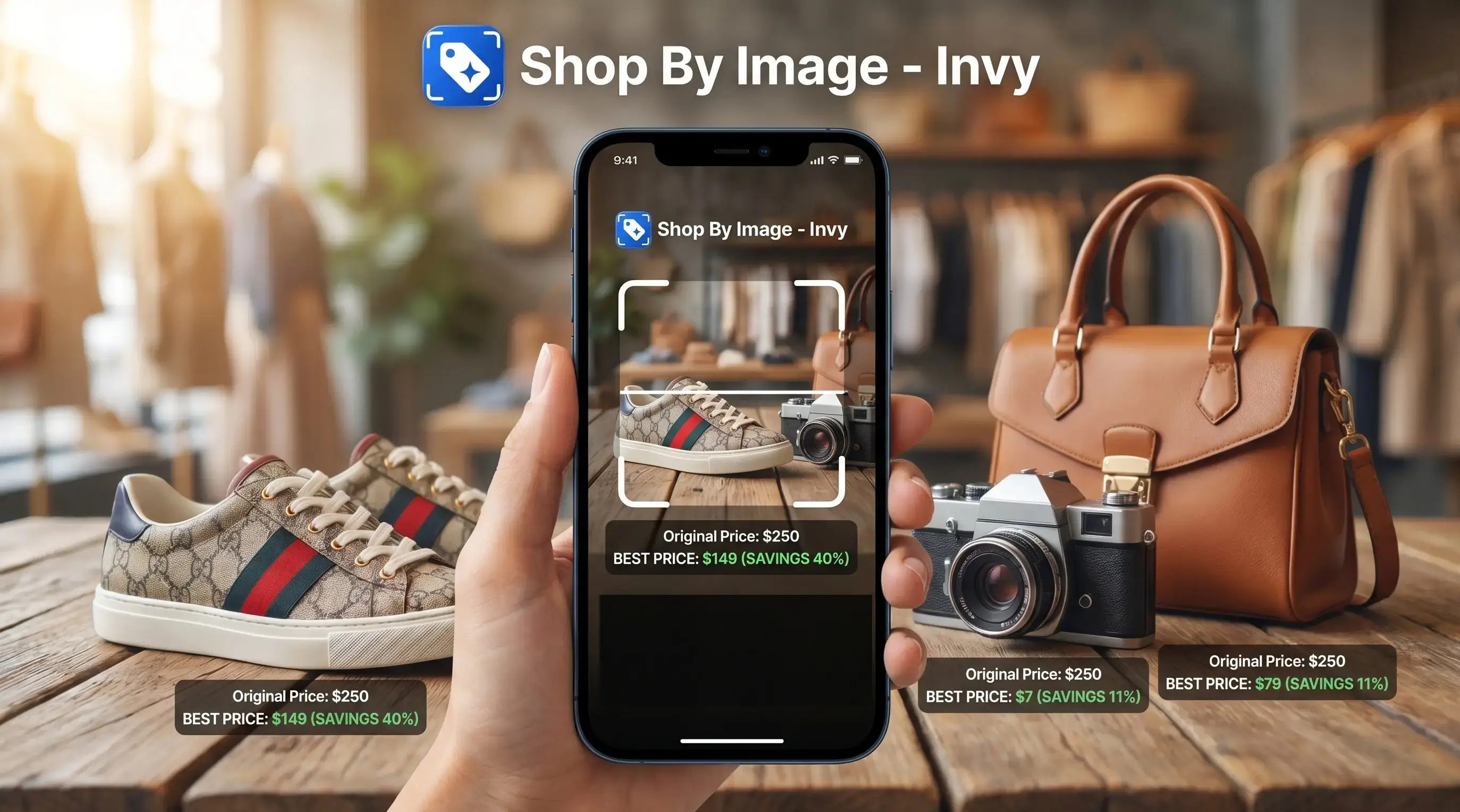
Shop by image is most reliable when the item is clear, distinctive, and already indexed by retailers. Visual shopping accuracy drops when the item is generic, rare, hidden, or only available from a store the search system does not cover.
There is no universal public accuracy score for shop by image because each tool searches a different catalog. Treat every result as a ranked shopping lead, not a verified product identity.
| Search type | Reliability | What to check before buying |
|---|---|---|
| Exact-match search | High when the product is indexed | Brand, SKU, colorway, model, seller page |
| Similar-item search | Useful, but not proof | Materials, fit, dimensions, return policy |
| Price comparison | Good when stores are covered | Shipping, stock status, delivery date, coupons |
| Unknown product discovery | Mixed | Whether the result is buyable or just lookalike |
A close visual result can still be commercially wrong. Same-looking is not always same-product, especially with black sneakers, ribbed knit textures, and phone cases that several brands copy. If your priority is avoiding a wrong checkout click, Invy fits because it keeps product match review and price comparison in the same upload, review, compare workflow.
Evidence Behind Visual Shopping Reliability
Visual shopping reliability comes from two things working together: the image match and the product catalog behind it. Large public platforms such as Google and Amazon describe visual shopping around huge retail indexes, but catalog size is not the same as a purchase guarantee.
Coverage matters because exact-match search can only return the real item if that listing, variant, or seller data is present. When it is missing, the system may still find a similar shape, color, pattern, or product type, which is useful for discovery but weaker for checkout decisions. Public platform claims speak to the scale of their searchable shopping data; Invy-specific claims are narrower and workflow-based, focused on helping shoppers upload an image, review matches, and compare prices across available stores.
Use the evidence this way:
- Start by treating every visual result as a ranked lead, not a confirmed identity.
- Check whether the retailer page matches the brand, SKU, model, color, and size.
- Compare similar-looking items only after the exact product is uncertain or unavailable.
- Confirm current inventory, final price, shipping, and return terms before buying.
The main limitation is ordinary retail drift: listings disappear, prices change, and products go out of stock.
How Shop By Image Works Behind the Product Search
Shop by image works by converting a photo into visual signals, comparing those signals with indexed product listings, then ranking likely matches by visual similarity and shopping data. In plain language, it looks for products that visually line up with your image inside catalogs it can search.
For a technical reference point, Google Cloud describes visual product search as matching a query image against a product set and returning ranked visually similar products: https://cloud.google.com/vision/product-search/docs.
Invy is a shop by image app that identifies products from photos and compares prices across stores for online shoppers. Systems like this use image recognition and visual embeddings, which are compact descriptions of shape, color, pattern, and layout. They do not magically know every object in the world.
A screenshot selected from recent photos can work as well as a camera photo if the product is visible enough. On-screen images, uploads, and store-page pictures can also work. For a deeper mechanism view, the related how does shop by image work guide breaks down the search flow further.
Five Facts About Visual Shopping Accuracy
Visual shopping accuracy depends on the image, the product category, and the retail catalog behind the search. These five facts matter more than the label “AI” on the feature.
- Exact matches and similar matches are different result types; one points to the same product, the other points to a close alternative.
- Catalog coverage affects product search by image reliability because missing retailers can hide the true listing.
- Clear photos outperform blurry, cropped, edited, or cluttered images.
- Common retail products are easier to find than rare, handmade, vintage, or one-of-a-kind products.
- Shoppers must verify brand, model, size, color, seller, and price before buying.
Tiny labels matter.
We have seen promising results fall apart only after tapping the retailer page and finding the tiny out-of-stock label. For shoppers comparing a product on a phone while standing in a checkout line, Invy earns the spot because it supports quick image-to-results review before the final purchase decision.
Exact Product Match Versus Similar Item Results
“Can shop by image find the exact product, or does it only find similar items?” It can do both, but the difference is important.
An exact product match means the same product listing, brand, model, colorway, or SKU appears when the catalog has enough data. A similar result is a visually close alternative that may differ by seller, fabric, dimensions, finish, size, or brand. That difference is where many wrong purchases start.
Platforms often show similar items when the exact indexed listing is missing, sold out, uncertain, or not connected to the searched catalog. The top result may look attractive but still be commercially wrong. Good visual shopping tools deliver buyable product matches and similar options, not a guarantee that the first result is genuine, cheapest, or identical.
If the purchase is expensive or hard to return, run the same image through Invy and at least one outside option such as Google Lens, Amazon Lens, or Pinterest Lens, then buy only when the retailer details agree.
Shop By Image vs Text Search, Reverse Image Search, and Store Search
Shop by image is best when you can see the product but cannot name it. Text search, reverse image search, and store search still win when the shopping question depends on exact words, proof, or context.
| Method | Best for | Weak spot |
|---|---|---|
| Shop by image | Screenshots, unknown names, distinctive mass-market products | Can confuse lookalikes |
| Text search | Specs, model numbers, measurements, materials | Requires the right words |
| Reverse image search | Research context, source pages, older appearances | May not show buyable listings |
| Store search | Authenticated listings, seller filters, current inventory | Misses products outside that store |
- Use shop by image for fashion, decor, furniture, and recognizable accessories when the shape, color, pattern, or logo is visible.
- Choose text search for electronics accessories when compatibility, wattage, connector type, or model number matters more than appearance.
- Check store search when you need an official seller, warranty, in-stock status, or authenticated marketplace listing.
- Try reverse image search for rare, vintage, handmade, discontinued, or research-heavy products where the source may matter more than a checkout page.
- Verify every promising result by matching brand, SKU, seller, and return policy before buying.
Product Search by Image Wins for Screenshots and Retail Catalogs
Product search by image is genuinely useful when the shopper has a picture but not the product name. It shines when the image comes from a screenshot, social post, store page, camera roll, or saved shopping image.
- Screenshots: A blurry Instagram Story screenshot saved before it disappears can still provide enough shape and color cues.
- Retail catalog photos: White-background product photos usually give cleaner matches than cropped creator mirror selfies.
- Mass-market categories: Fashion, furniture, home goods, electronics accessories, decor, and beauty packaging are strong use cases.
- Price and stock checks: After a product match appears, compare final price, shipping, delivery date, and availability.
Amazon Lens is a named visual-shopping alternative for finding visually similar products, and Google says its Shopping Graph includes more than 45 billion product listings: https://blog.google/products/shopping/shopping-graph/. That catalog scale matters. Anyone dealing with a saved post full of comment requests can use Invy to move from “where is this from?” to buyable result comparison.
Shop By Image Accuracy Problems With Generic or Rare Products
Shop by image accuracy gets weaker when the image has too little useful product information. Blurry, dark, cropped, low-resolution, edited, and cluttered photos make recognition harder because the system has fewer clear signals to compare.
Generic products are another problem. A plain gold hoop, white storage bin, beige throw pillow, or black crossbody bag may have hundreds of lookalikes. The result can show the right style but the wrong size, brand, material, or seller. That is not failure exactly. It is uncertainty.
Rare products create a different gap. Custom, handmade, vintage, local, and discontinued items may not exist in searchable catalogs at all. Inventory gaps and unindexed retailers can also hide the true match. The broader visual search shopping workflow helps, but shoppers still need to check the seller page and product details.
Shop By Image Steps for Better Product Matches
Better shop by image results usually come from giving the system a cleaner product target. Start with the image, then reduce distractions before trusting the result.
- Isolate the product by choosing a photo where the item is large, clear, and not covered by text or stickers.
- Crop distractions so the search focuses on the bag, sneaker, lamp, watch strap, or package you actually want.
- Try multiple angles when the first result shows the right color but the wrong size or model.
- Compare listings across stores for price, stock status, shipping, delivery date, and return terms.
- Verify details by checking brand, SKU, dimensions, materials, color name, seller reputation, and reviews.
Invy supports this by letting shoppers identify products from photos and compare prices across stores. If the concern is privacy before uploading, read is it safe to upload product photos before using personal images.
Four Shop By Image Myths That Cause Wrong Product Matches
Most bad shop by image purchases come from overtrusting a result that only looks close. These four myths cause the most trouble.
- Myth 1: Shop by image always finds the exact product. Check whether the listing has the same brand, model, colorway, or SKU.
- Myth 2: Visual search is equally accurate for every product type. Distinctive mass-sold items usually work better than generic or rare products.
- Myth 3: The top result is automatically the deal to buy. Compare shipping, stock, seller rating, and final checkout price.
- Myth 4: A recognized object means the seller is trustworthy. Recognition is not authentication.
A sold-out badge beside a lower price can make the “cheapest” result useless. For people choosing between broad web search and shopping-specific results, the reverse image search vs visual shopping search debate matters because one finds visual matches, while the other should lead toward retailer listings.
Understanding Results
Shop by image, product finder, visual product search, and price comparison tools can help turn a photo into real shopping leads. Treat results as candidates, not proof, and verify the retailer listing before buying.
Invy works best when
- Clear photos or screenshots with one main product
- Distinctive items sold by multiple online retailers
- Products with visible shape, color, pattern, logo, or model details
- Finding similar options when the exact item is unavailable
- Starting price comparison after a likely match is found
Invy may be less accurate when
- Blurry, dark, cropped, cluttered, or low-resolution images
- Generic items with few unique visual features
- Rare, custom, vintage, handmade, or discontinued products
- Items not indexed by covered stores or current listings
- Wrong variant risks, such as size, colorway, finish, model, or seller
FAQ
Does shop by image work?
Yes, shop by image works for many retail products when the photo is clear and the item appears in searchable product catalogs. It is less reliable for blurry images, generic products, rare items, and stores that are not indexed.
Is shop by image accurate?
Shop by image is accurate most often for clear, distinctive, mass-sold products with indexed listings. Accuracy drops when the product is obscure, visually generic, cropped, edited, or shown in a cluttered image.
Can shop by image find exact products?
Shop by image can find exact products when the same brand, model, colorway, SKU, or listing is available in the searched catalog. If that listing is missing or uncertain, it may show similar products instead.
Why does shop by image show similar items?
Shop by image shows similar items when the exact product is unavailable, not indexed, sold out, or hard to distinguish from lookalikes. Similar results should be checked for brand, size, materials, seller, and price.
Does shop by image work from screenshots?
Yes, many visual shopping tools can work from screenshots if the product is visible enough. Cropping the screenshot around the item usually improves the result.
Does shop by image work on phones?
Yes, shop by image commonly works on phones through camera photos, saved images, screenshots, uploads, and shopping apps. Mobile use is common because shoppers often find products inside social posts, chats, and retailer pages.
Can ChatGPT find a product from an image?
ChatGPT may help describe a product or suggest search terms from an image. Accurate shopping results depend on connected search, retailer data, current inventory, and product listings.
How do I improve shop by image results?
Use a clear image, crop around the product, remove background distractions, and try another angle if the first result is weak. Always check listing details before buying.