Is It Safe To Upload Product Photos To Shopping Apps?


Download for iPhone: find product from image
Yes, it is usually safe to upload normal product photos to shopping apps if the image only shows the item and you understand how the app handles uploads. The better question is not just “is it safe to upload product photos,” but whether the photo or screenshot exposes addresses, faces, receipts, account details, metadata, or copyrighted images you do not have rights to use.
This page is a consumer privacy guide, not a security audit of any one shopping app or a legal opinion about copyright. For account-specific questions, rely on the app's current privacy policy, permission prompts, and support channels.
Invy is a shop by image app that identifies products from photos and compares prices across stores for online shoppers.
- Product photo privacy risk usually comes from what appears around the item: labels, people, reflections, screens, receipts, and metadata.
- Screenshots can expose order numbers, account names, addresses, QR codes, and payment-related details even when they look harmless.
- Before uploading, crop the image, remove sensitive context, check app permissions, and review whether the app stores, shares, or deletes uploaded photos.
Product Photo Upload Safety: The Short Answer
Yes, product photo uploads are usually safe for ordinary shopping use, but only when the image is limited to the item and the app’s data practices are acceptable. The item itself is rarely the biggest privacy risk.
The real risk sits around the product. A desk lamp glare on packaging can show a room behind you. A shipping label beside a sneaker box can expose an address. A screenshot can carry an account name or order number in the corner you stopped noticing.
Check five things before you upload: personal details, metadata, app retention, third-party processing, and copyright. Tools like Invy focus on product finding and price comparison, not face search or people search. Still, same-looking is not always same-product, and safe-looking is not always privacy-safe.
Crop first. Then upload.
Five Facts About Shopping App Photo Privacy
- Product photos can reveal faces, labels, screens, addresses, serial numbers, room backgrounds, and reflections. The product may be harmless; the shelf behind it may not be.
- Uploaded photos may be used for product matching, service improvement, fraud prevention, support, troubleshooting, or abuse detection. Those uses should be explained in the app’s privacy policy.
- Screenshots are not automatically safer than camera photos. A saved post full of comment requests may also show your username, notifications, or private tabs.
- Image ownership and copyright are separate from privacy safety. A clean manufacturer image may still be restricted for reuse.
- Cropping and permission checks reduce most ordinary shopping-photo risks. In a 2023 Pew survey, 59% of U.S. adults said they were very or somewhat concerned about how much personal data companies collect about them, according to Pew Research image platform study.
For product searches, a tightly cropped item photo is usually safer than a full-room image because it removes private context before the app ever receives it.
How Product Photo Upload Privacy Works In Shopping Apps
Product photo upload privacy depends on how the app receives, processes, stores, shares, and deletes the image after you submit it. The usual flow is upload, image processing, product recognition, catalog matching, and price comparison results.
Behind the screen, the app may create image embeddings, which are mathematical summaries of visual features. In plain English, the system turns the photo into searchable signals, then compares those signals with retailer listings or product catalogs. The broader how does shop by image work process is about matching visual clues, not proving authenticity.
Some apps process images on your device. Others send photos to cloud servers or vendors. Privacy depends on storage duration, access controls, vendor sharing, logs, support access, and deletion rules. Metadata matters too: the NIH National Human Genome Research Institute defines metadata as information about data, including details such as when data was created and where it came from (Genome reference).
A white-background product photo is simpler. A cropped creator mirror selfie is not.
Screenshot Privacy In Shopping App Uploads
“Screenshot privacy shopping app” risk is mostly about accidental context. A screenshot can look cleaner than a camera photo, but it may carry more account data.
Crop these screenshot elements before upload:
- Account details: account name, email address, username, profile icon, or loyalty ID.
- Order data: shipping address, order number, tracking number, receipt totals, return labels, and timestamps.
- Scannable codes: QR codes, barcodes, pickup codes, and gift card codes.
- Payment clues: last four card digits, wallet labels, installment plan text, or billing name.
- Screen clutter: browser tabs, notifications, status bars, open messages, and app account menus.
When possible, use a clean product image instead of a full checkout or order screenshot. A phone held over a magazine page can be enough if the item is visible and the border stays boring.
Product Photo Details To Crop Before Upload
Crop tightly around the item before uploading a product photo. Cropping improves privacy and often improves product matching because the app has fewer background objects to misread.
Remove these details first:
- People and identity clues: faces, children, ID cards, employee badges, school logos, and name tags.
- Home and vehicle details: mail labels, house numbers, apartment doors, license plates, and delivery notes.
- Financial or purchase data: receipts, credit cards, loyalty numbers, return slips, and gift receipts.
- Device and room clues: device screens, calendars, monitor tabs, medication bottles, reflections, and location-specific backgrounds.
- Product identifiers: serial numbers, warranty stickers, IMEI labels, and private asset tags.
Non-visible context can still matter. Filenames may include a name or address. Metadata may include capture time or location, depending on phone settings and app access.
Tiny details travel.
Upload Photo Privacy Settings To Check First
Upload photo privacy starts with app permissions, not the upload button. Check camera, photos, files, and location permissions before giving a shopping app broad access.
Use limited photo library access when your phone allows it. That lets you select a specific image instead of opening your whole camera roll. It is useful when your gallery includes receipts, family photos, screenshots of bank screens, or work documents mixed beside product pictures.
Read the app privacy policy for storage, deletion, vendors, AI training, support access, account deletion, and data export. Vague words like “secure” or “private” are not enough without specific handling details. Pew reported in 2023 that 81% of U.S. adults said the risks of company data collection outweigh the benefits (Pew Research image platform study).
A privacy-safer shopping app should use an uploaded image to return product matches and price comparisons, not to identify people, verify identities, or prove that a listing is genuine. If the policy is vague about those boundaries, treat the upload as higher risk.
How To Upload Product Photos Safely
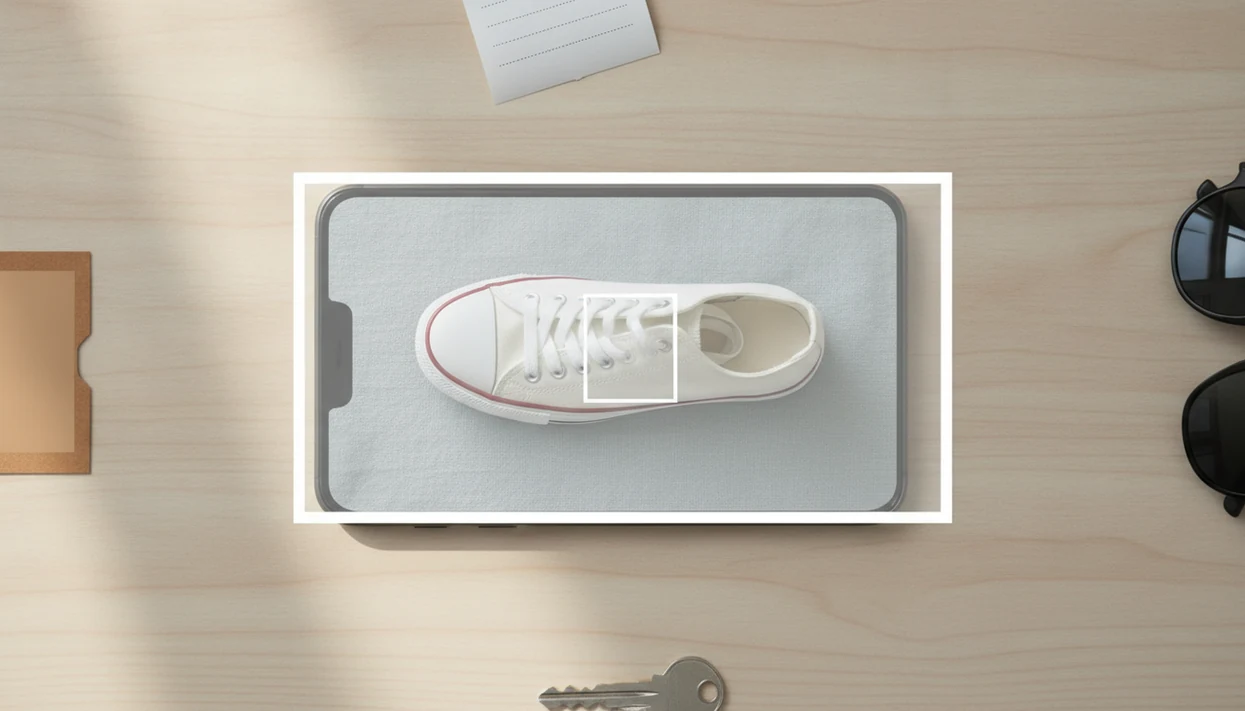
To upload product photos safely, send the app only the item information it needs and remove everything else first. A clean, self-taken product photo is usually the safest starting point because you control what is in the frame.
- Choose your own simple product photo when possible, ideally on a plain surface with no people, paperwork, or room details nearby.
- Crop tightly around the item so faces, shipping labels, receipts, screens, account pages, reflections, and recognizable backgrounds do not travel with the upload.
- Check photo, camera, file, and location permissions before selecting an image, and use limited photo access if your phone offers it.
- Rename or replace files that include personal names, addresses, order numbers, or project labels, especially when uploading from downloads or cloud folders.
- Review the app’s retention, deletion, vendor sharing, AI training, and support-access policies before you rely on it for repeated uploads.
This process will not make every app risk-free, but it cuts the most common accidental leaks. If the product can be identified from a cleaner photo, do not upload the messier one.
Common Myths About Product Photo Privacy
Product photo privacy gets messy because privacy, security, and copyright are different issues. Privacy is about personal information. Security is about protection from misuse or unauthorized access. Copyright is about rights to use the image.
- Myth: It is just an object, so it cannot be sensitive. A canvas tote hanging on a chair can still show a work badge, apartment layout, or child’s photo in the background.
- Myth: Screenshots are always safer than camera photos. Screenshots can expose order IDs, addresses, open tabs, and account menus.
- Myth: AI apps always delete images immediately after matching. Some apps may retain uploads for service improvement, troubleshooting, fraud prevention, or legal reasons.
- Myth: Any image found online can be reused freely. Online availability is not the same as permission.
- Myth: Removing visible text removes every privacy risk. Reflections, metadata, filenames, and background objects may still identify you.
For shoppers comparing reverse image search vs visual shopping search, privacy checks matter in both workflows.
Copyright And Ownership Risks In Product Photo Uploads
Privacy safety and copyright safety are different. A photo can reveal no personal data and still be restricted by copyright or marketplace terms.
Photos from brands, wholesalers, marketplaces, creators, suppliers, and other stores may have usage limits. Personal use in a shopping search is different from republishing the image, using it in an ad, placing it on a resale listing, or presenting it as your own product photography. That line matters most for sellers, affiliates, dropshippers, and social media shops.
If you are just trying to find where to buy this product, use your own photo when possible. If you use a brand or manufacturer photo, check the original source terms before reuse beyond a private search.
The safest reusable image for shopping research is usually one you took yourself, cropped to the product, without people, documents, or private surroundings.
When Not To Upload A Product Photo
Do not upload a product photo when the image carries a privacy, safety, workplace, legal, or order-dispute risk that is bigger than the convenience of visual search. If the photo feels hard to explain to a support agent, it is probably not the right upload.
Some images should stay out of shopping apps entirely: IDs, medical labels, children, payment cards, billing screens, school or workplace materials, government documents, confidential inventory, and private client or patient context. A product sitting beside a prescription bottle or employee badge is not just a product photo anymore.
When the situation is unclear, slow down:
- Stop before uploading disputed, copyrighted, confidential, or sensitive images.
- Crop only if cropping fully removes the risky detail, not just most of it.
- Contact the shopping app’s support team if you need guidance on sensitive or rights-controlled images.
- Use the seller, retailer, or marketplace support channel when the image is about a damaged item, wrong order, return, refund, or delivery issue.
- Choose manual text search instead when privacy risk outweighs faster image matching.
Convenience is not the goal when the photo contains someone’s identity, health, money, workplace, school, or legal context.
Understanding Results
Shop by image, product finder, visual product search, and price comparison tools can make shopping faster, but an upload is not proof that a photo is private or a result is correct. Crop sensitive details, check the app’s current policy, and verify the seller before buying.
Invy works best when
- Clean product-only photos with no faces, labels, receipts, or addresses
- Cropped screenshots that remove account names, order numbers, and QR codes
- Distinct items with visible logos, model details, packaging, or product shape
- Using visual product search first, then checking stock, seller, shipping, and returns
- Price comparison after confirming the item is the same size, color, and version
Invy may be less accurate when
- Photos with reflections, room details, people, or shipping labels in the background
- Screenshots that expose payment hints, addresses, usernames, or order history
- Generic products, lookalikes, altered packaging, or blurry images
- Apps with unclear retention, sharing, deletion, or third-party processing terms
- Deleted apps where prior uploads may still exist in backups, logs, or vendors
FAQ
Is it safe to upload product photos to shopping apps?
Yes, it can be safe when the photo only shows the product, sensitive details are removed, and the app’s privacy practices are acceptable. Review permissions, storage rules, vendor sharing, and deletion options before uploading.
Are screenshots safe to upload to a shopping app?
Screenshots can expose order details, addresses, account names, QR codes, tracking numbers, and payment-related information. Crop tightly or use a clean product image instead.
Can product photos contain location data?
Yes, image metadata may include time, date, device details, and location information depending on phone and app settings. Check camera and location permissions before uploading.
Should I crop product photos before uploading them?
Yes, crop tightly around the item to remove private context and improve product matching. Cropping can remove faces, addresses, receipts, screens, and background clues.
Can I upload receipt photos to find a product?
Use caution because receipts may show store details, payment digits, loyalty numbers, timestamps, and purchase history. Crop to the product name only if a receipt is the only available reference.
Can I upload product photos that include faces?
Avoid uploading faces or people in shopping searches unless they are necessary and consent is clear. Apps such as Invy are for product finding, not face identification.
Do shopping apps delete uploaded photos?
Deletion depends on each app’s privacy policy, retention rules, backups, support access, and vendor arrangements. Removing the app from your phone may not delete prior uploads.
Can an uploaded image contain a virus?
Ordinary image viewing is usually low risk, but malicious files, links, or disguised downloads can still be dangerous. Only upload through trusted app screens and avoid unknown file attachments.
Can I use brand or manufacturer photos in a shopping app?
Brand or manufacturer photos may be copyrighted and may not be free to reuse outside personal shopping searches. For a shop by image search, your own cropped product photo is usually the safer input.