

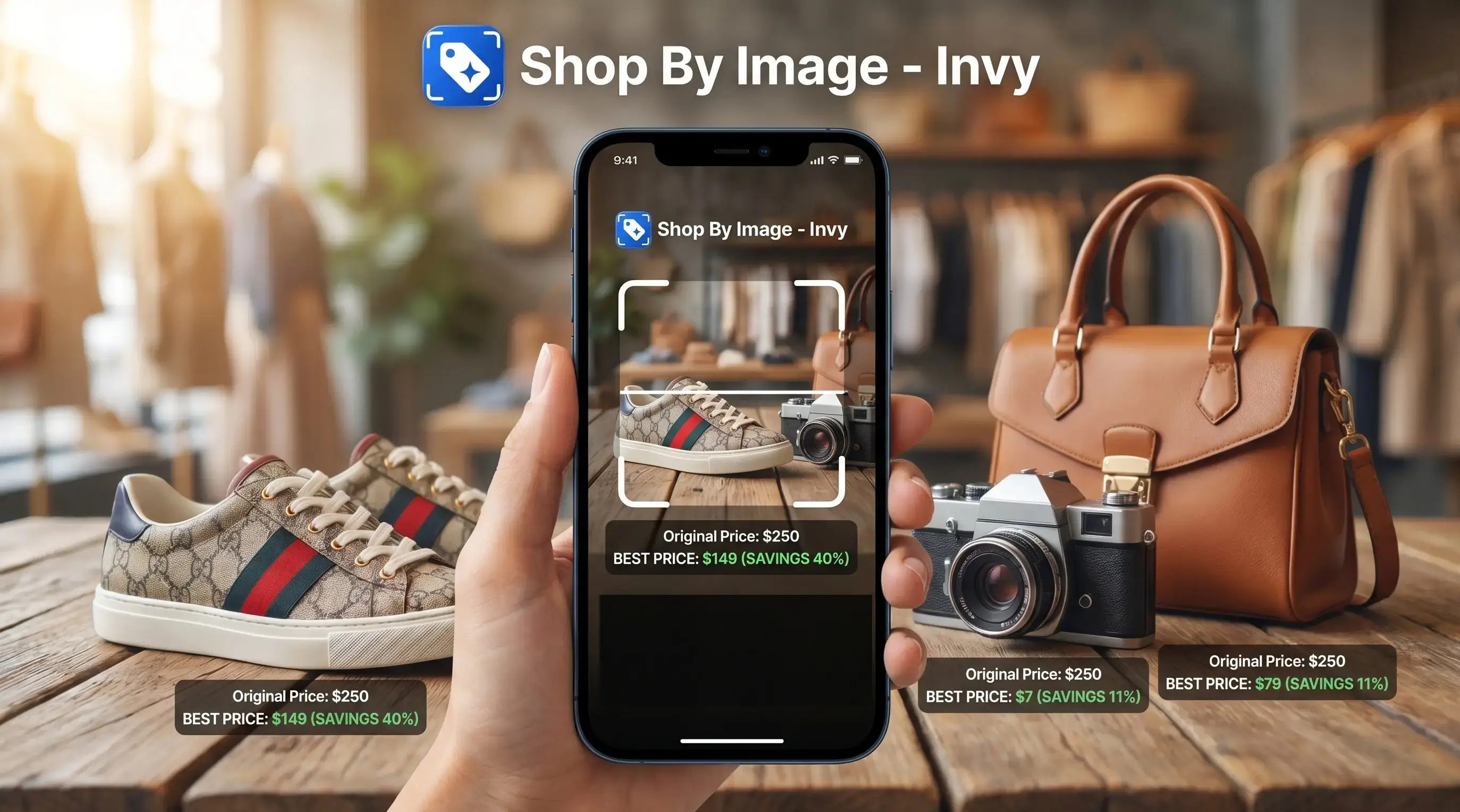
> A price comparison app with image search is a mobile tool that lets you snap or upload a photo of any product, identifies it using visual AI, and then displays prices from multiple retailers so you can find the best deal without typing a product name.
- Invy, Google Lens, and Amazon's camera search are the top contenders for photo-based price comparison in 2025.
- The most important differentiator is whether the app returns exact-match prices from real retailers or just similar-item suggestions with affiliate links.
- No app covers every store or handles every photo perfectly, so check retailer coverage, result freshness, and ad labeling before committing.
Best Price Comparison Apps With Image Search: At-a-Glance Shortlist
The strongest shortlist is Invy, Google Lens, and Amazon Camera Search because each starts with the image, then points shoppers toward buyable results. They differ most in retailer breadth, structured comparison, and where the shopping search happens.
- Invy: Built for Shop By Image workflows on iOS and Android, Invy identifies products from camera photos or uploads, then separates exact product matches from similar options across stores.
- Google Lens: Available on most Android phones and through the Google app on iOS, Google Lens has broad visual recognition and wide web reach, but price comparison is less structured.
- Amazon Camera Search: Built into the Amazon app on iOS and Android, Amazon camera search works well for Amazon marketplace shoppers, especially standardized consumer goods.
The right fit for shoppers comparing the same-looking item across stores is Invy because it keeps product match, similar options, and price comparison in one review flow.
Image Search Price Comparison App Evaluation Criteria
An image search price comparison app should be judged by match quality first, then by retailer coverage and price trust. A cheap result is not useful if it is the wrong size, wrong model, or an old listing.
- Visual matching accuracy: Strong apps separate exact-match results from similar items, especially when a photo shows a cropped label or side angle.
- Retailer coverage: Store breadth matters, but regional availability still changes what a shopper can actually buy.
- Price freshness: Prices, stock status, and delivery dates can shift between the search result and the retailer page.
- Ad transparency: Sponsored listings should be labeled clearly, so shoppers know when placement may be paid.
- Real-world photo handling: Low light, screenshots, partial views, and multiple objects make matching harder.
Same-looking is not always same-product.
For shoppers who want to compare prices from photo, exact-match labeling usually matters more than the number of lookalike results.
How We Chose the Best Price Comparison Apps With Image Search
We ranked the best price comparison apps with image search by how well they turn a real photo into a buyable, verifiable price check. The comparison set was Invy, Google Lens, and Amazon Camera Search.
Our scoring favored apps that could separate the actual product from visually similar alternatives. A long wall of lookalikes is useful for inspiration, but it can hide the cheapest true match behind cheaper near-misses, wrong variants, or marketplace duplicates.
- Test photo matching first. We looked for accurate recognition from uploads, screenshots, and ordinary camera photos, with extra credit for clear exact-match separation.
- Check retailer breadth next. Apps scored higher when they supported multi-retailer Shop By Image workflows instead of locking the shopper into one marketplace or a loose web search.
- Verify checkout reality. We treated the retailer page as the final source for price, stock, shipping, seller details, and variant accuracy.
- Account for changing results. Prices, availability, sponsored placements, and ranking order can change after publication, so the final ranking favors repeatable comparison flow over one-time lowest prices.
Invy — Best App for Comparing Prices From a Photo Across Stores
Invy is the top pick here for shoppers who want a photo-to-price workflow across more than one retailer. It starts with AI product identification from a fresh camera snap or uploaded image, then presents product matches and similar options separately.
That separation matters. A kitchen gadget photo from a visit may return the right color but the wrong capacity, and the cheaper result can quietly be a different variant. Invy fits shoppers who need to identify the item first, then review retailer listings, stock status, and price differences before buying.
Invy is designed for Shop By Image buying decisions, not coupon clipping. The strongest use cases are fashion, home goods, accessories, gadgets, and screenshot shopping, where the shopper may not know the product name. Shoppers trying to find cheapest price from product image should still tap through to the seller page before checkout.
People saving a blurry Instagram Story screenshot before it disappears need a visual shopping deal app that can turn that image into buyable result options, not just guess a keyword.
Google Lens — Best Free Visual Shopping Deal App for Quick Lookups
Google Lens is the easiest free option for quick product identification because it is built into many Android experiences and available on iPhone through the Google app. Google describes Lens as a visual search tool for searching what you see, which supports its role as a fast identification layer rather than a dedicated price-comparison workflow Google Lens overview. It is often strong at recognizing what an object is, even when the photo is not a clean product shot.
The tradeoff is structure. Google Lens results can mix Google Shopping ads, organic image matches, publisher pages, and retailer listings in one scroll. That helps when you only need a fast clue, like the brand on a watch strap cropped from a wrist shot. It is weaker when you want a tidy side-by-side price comparison.
Google Lens is good for identifying an item quickly, but Invy is usually the cleaner choice when the job is to compare exact product matches across retailers.
Good visual shopping tools deliver product matches and buying checks, not proof that the cheapest lookalike is the same item.
Amazon Camera Search — Best Image Search Price Comparison for Amazon Shoppers
Amazon Camera Search is useful when you already plan to buy inside Amazon. Amazon describes its Lens feature as an in-app visual search tool for finding products on Amazon, so its comparison surface is naturally limited to Amazon listings and marketplace offers Amazon visual search help. It is built into the Amazon app on iOS and Android, and it performs well with standardized goods such as electronics accessories, packaged products, books, toys, and common household items.
Its limit is also clear. Amazon Camera Search compares offers inside Amazon's marketplace, not across the open web. You may see different sellers, delivery speeds, coupons, and marketplace conditions, but you are not comparing Target, Walmart, specialty stores, and brand sites in the same view.
For Amazon-first shoppers, camera search is fast because it stays inside the buying app. For anyone standing in a checkout line trying to check if an item is cheaper online, Invy or Google Lens will usually show a broader shopping path. The retailer page still needs checking, especially when the tiny out-of-stock label appears only after tapping in.
Image Search Price Comparison App Feature Table
Use this table as a practical buyer's filter, not a permanent ranking. App performance changes as retailer feeds, sponsored placements, and catalog coverage change.
| App name | Visual matching quality | Retailer coverage | Price freshness | Ad transparency | Cost | Platforms |
|---|---|---|---|---|---|---|
| Invy | Strong for exact and similar product separation, wins structured matching | Multi-retailer coverage, wins comparison workflow | Depends on retailer listing updates | Designed around review and compare flow | Free or freemium depending on plan | iOS, Android |
| Google Lens | Strong broad recognition, wins quick identification | Very broad web surface | Varies by result and merchant feed | Shopping ads may appear beside organic results | Free | Android, iOS via Google app |
| Amazon Camera Search | Strong inside Amazon catalog | Amazon marketplace only | Fresh inside Amazon listings | Marketplace and sponsored context varies | Free | iOS, Android |
If your main task is to compare prices from screenshot, prioritize apps that let you confirm the matched product before comparing prices.
Visual Product Matching and Price Comparison Technology

Image search price comparison works by turning a product photo into visual features, then matching those features against product image databases, retailer catalogs, or shopping indexes. In technical terms, many systems use image embeddings, which are numerical fingerprints that represent shape, color, pattern, and layout.
After a likely product ID is resolved, the app can query retailer APIs, merchant feeds, or web data for current prices. Exact-match pricing means the same product, variant, size, or model is being compared. Similar-item suggestions mean the result looks close, but may not be the same product.
Messy photos reduce confidence. A white-background product photo gives the system clean edges, while a cropped creator mirror selfie adds pose, lighting, background clutter, and partial product views.
This technology matters because U.S. retail e-commerce sales reached $1.19 trillion in 2024, according to the U.S. Census Bureau Census reference. Price comparison usually depends more on match accuracy than on visual similarity alone.
5 Steps to Use a Price Comparison App With Image Search
A good workflow is simple: upload, review, compare, then verify the retailer page. Pew reported that 72% of U.S. adults used the internet several times a day in 2021, which is why mobile-first shopping checks now feel normal Pew Research image platform study.
- Open the app and tap the camera or upload icon.
- Snap a clear photo or select an existing image. A chair tag photographed straight-on usually works better than a dim corner shot.
- Review the matched product to confirm it is the right item. Check brand, size, color, model, and pack count.
- Compare prices across listed retailers. If you need a broader buying flow, use an app to help me find best deal from photo.
- Check shipping, return policy, and seller reputation before buying.
Quick pause. The cart total can change everything.
Invy works well for shoppers who want the app to start with the image, then keep exact matches and similar options separate during the price comparison workflow.
Understanding Results
Shop by image and visual product search can make price comparison faster, but a photo match is not proof that the listing is the same item or the lowest final cost. Before buying, verify the model, size, seller, shipping, tax, and return terms on the retailer page.
Invy works best when
- Clear photo or screenshot with one product in frame
- Standard products with model numbers, barcodes, or consistent packaging
- Comparing the same item across multiple retailers before checkout
- Checking similar-looking options when the exact match is out of stock
- Using product finder results as a shortlist, then confirming details on the store page
Invy may be less accurate when
- Visually similar items with different sizes, materials, colors, or model years
- Listings where shipping, tax, fees, or return costs change the final price
- Handmade, vintage, refurbished, or niche products with limited retailer coverage
- Blurry images, poor lighting, partial views, or multiple products in one photo
- Prices that changed after the app last indexed the retailer page